

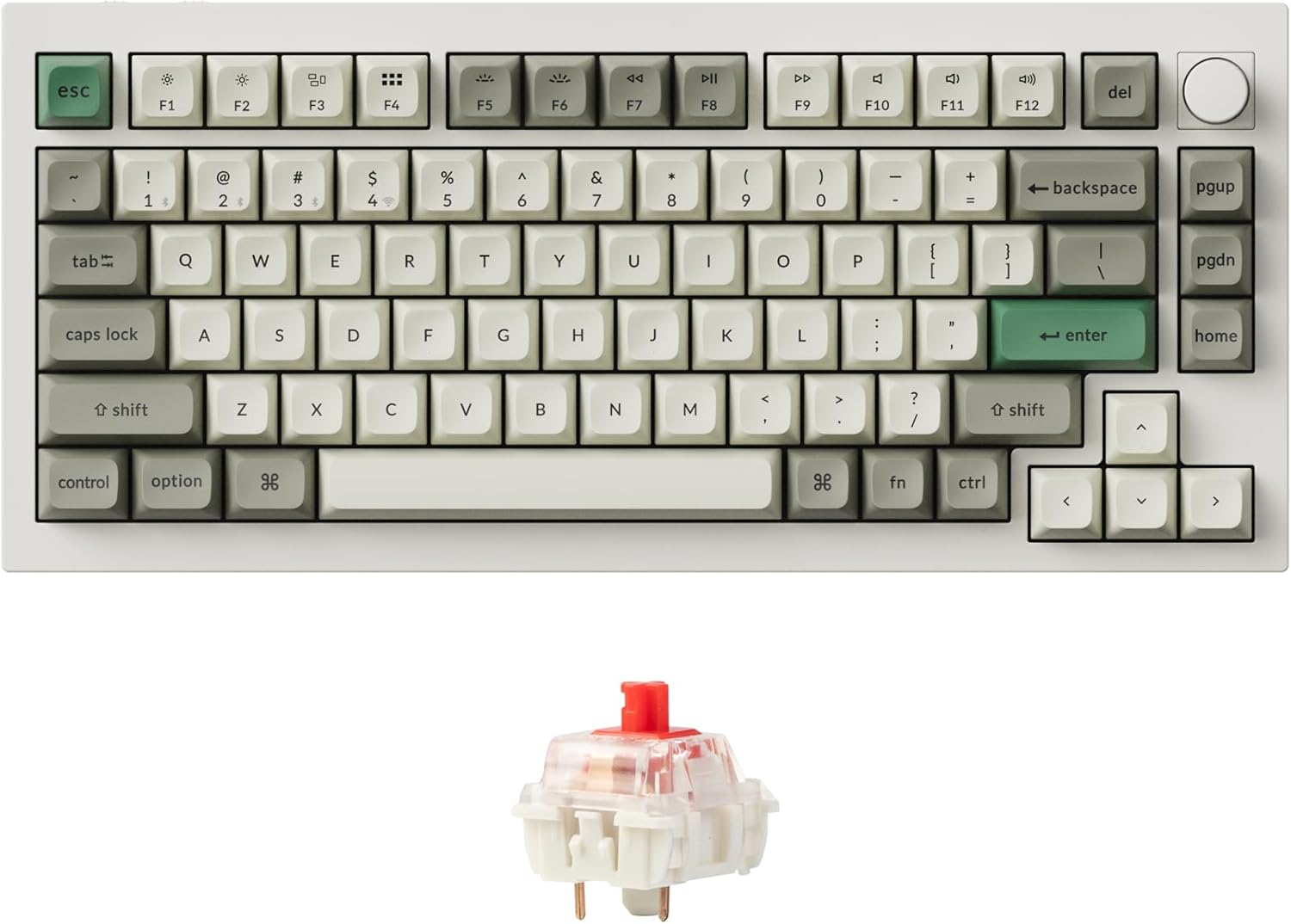
For programmers, the best mechanical keyboard overall is the Keychron Q1 Max — a gasket-mounted, fully programmable powerhouse. The Keychron C3 Pro is the best budget pick for coders on a tight setup, and the NuPhy Air75 V2 is the best low-profile board for slim desks and laptop-style typing.
Who this comparison is for#
This roundup is for people who spend hours a day in an editor, terminal, or IDE and want a keyboard that earns its desk space. We picked specifically for the things programmers care about — remappable layers, a tactile typing feel that survives long sessions, and cross-platform behavior that works the same on macOS, Windows, and Linux.
- Full-time developers who type tens of thousands of keystrokes a day and want comfort plus durable switches.
- Mac-and-Linux switchers who need a board that handles modifier layouts on both without fuss.
- Compact-desk and laptop users who want a mechanical feel without a tall, deep, wrist-straining board.
- AI-assisted developers whose day increasingly runs on prompts, specs, and reviewing generated code — more plain-language prose than ever, which makes sustained typing comfort the spec that matters most.
How we picked#
We focused on keyboards that solve real coding problems rather than chasing the flashiest gaming features. Every pick below runs reliably wired or wireless and supports per-key remapping, so you can put symbols, layers, and macros exactly where your fingers expect them — and the two wireless boards are hot-swappable on top.
- Programmability first: QMK/VIA or a robust companion app for remapping keys, building layers, and recording macros.
- Typing comfort over a long session: tactile or well-cushioned switches, decent sound dampening, and adjustable typing angles.
- Cross-platform parity: a physical Mac/Windows toggle or easy OS switching, since developers rarely live on one operating system.
- Reliability signals: hot-swap sockets where the board offers them, so a dead switch never means a dead board.
- Right-sized layouts: compact enough to keep your mouse close, but with the keys coders actually use — arrows, function row access, dedicated navigation, and both a physical Esc and a real backtick/tilde key, with no layer compromises.
Keychron Q1 Max (Best Overall)#
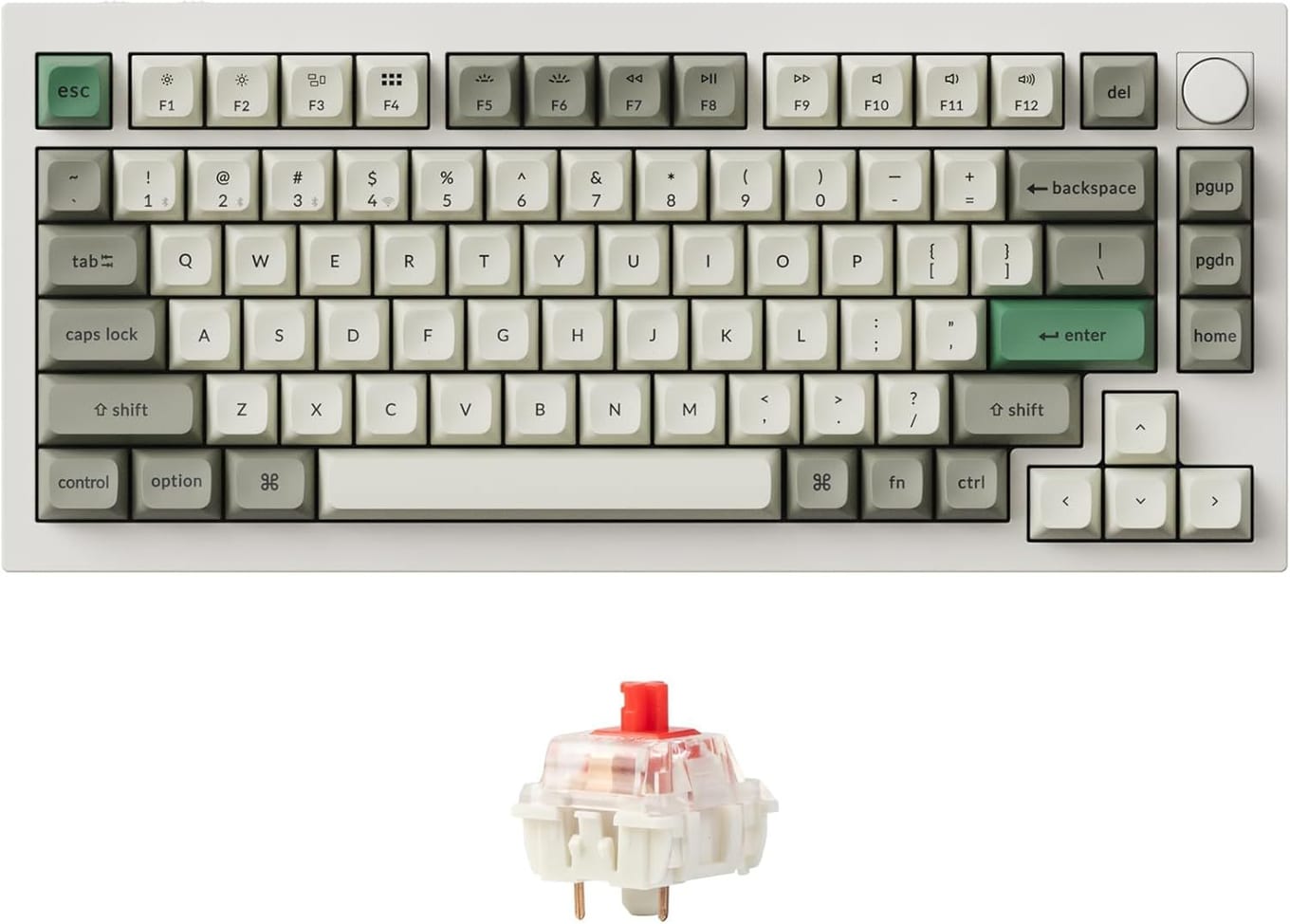
The Keychron Q1 Max is the keyboard most programmers should buy if budget isn't the deciding factor. It's a 75% board, meaning you keep the function row, arrow keys, and a handful of navigation keys while shedding the number pad — the layout that keeps your mouse hand closest to home without giving up the keys you actually reach for during the day.
What sets it apart is the full CNC-machined aluminum body and a gasket-mounted plate. In plain terms, the typing surface has a slight, consistent cushion that softens each keystroke and turns a marathon coding session into something your fingers don't dread by hour six. It ships pre-lubed and sound-dampened, so it sounds composed out of the box rather than hollow or rattly.
For developers, the headline feature is QMK and VIA support. You can remap any key, build multiple layers, and record macros — drop a layer of symbols under your home row, put navigation on a hold-modifier, or bind a macro to scaffold boilerplate. The settings live on the board itself, so your layout follows you to any machine without installing software. A 2.4GHz dongle and Bluetooth (up to three devices) round out the wireless story, and a physical macOS/Windows switch flips the modifier layout instantly.
Key Specs#
Layout : 75% (81 keys) with rotary knob
Build : Full CNC aluminum, gasket-mounted plate
Programmability : QMK/VIA, on-board layers and macros
Connectivity : 2.4GHz dongle, Bluetooth (3 devices), USB-C wired
Switches : Hot-swappable (3-pin and 5-pin), pre-lubed
Battery : 4000mAh, up to 180 hours with backlight off
Bottom line#
If you want one keyboard that types beautifully, switches between your Mac and Linux machines instantly, and lets you remap everything to your workflow, this is it. Read our full Keychron Q1 Max review for the deep dive.
Keychron C3 Pro (Best Budget)#
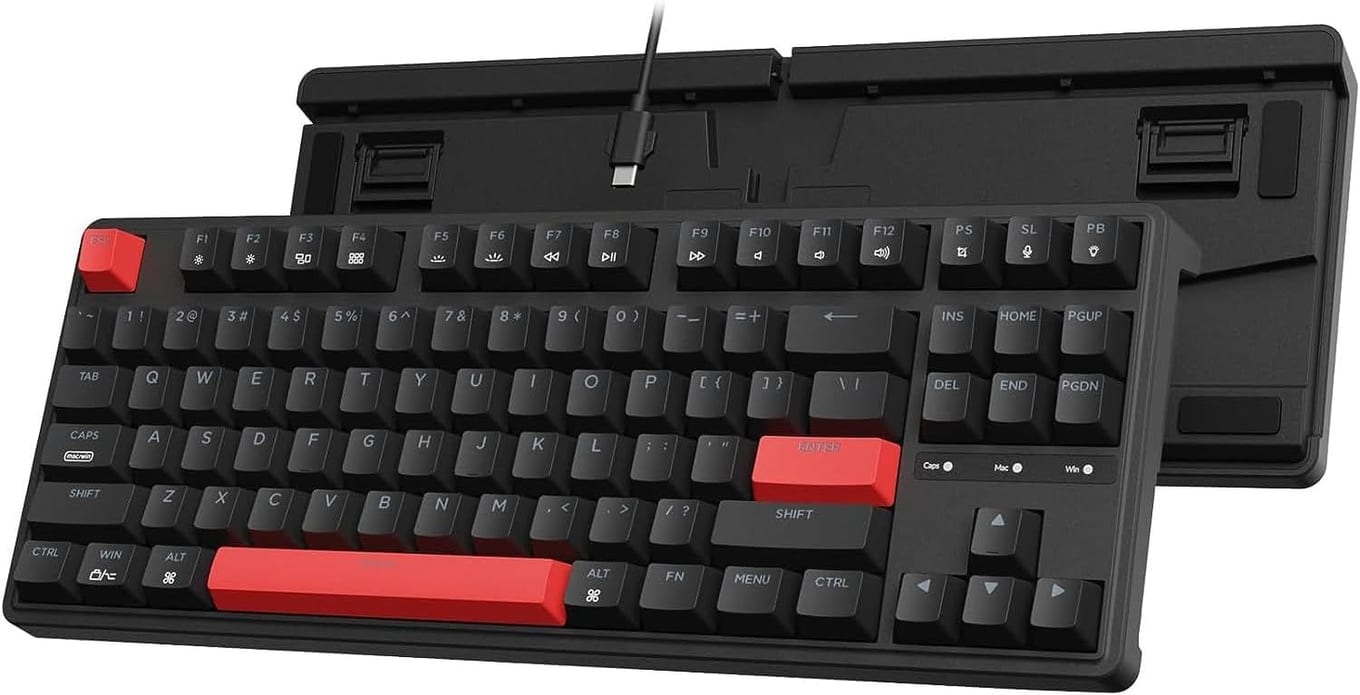
The Keychron C3 Pro proves you don't need to spend a premium to get a genuinely good programming keyboard. It's a tenkeyless (TKL) layout — full function row, arrows, and a navigation cluster, minus the number pad — for a fraction of the price of boutique boards, and it punches far above its cost.
The body is plastic rather than aluminum, and it's wired-only over USB-C. That's the trade-off for the price. But the part that matters most for coding is here: it runs QMK/VIA for the same key remapping, layers, and macro support you'd get on boards three times the price. One caveat the spec sheet buries: this version is not hot-swappable, so pick the switch feel you want up front. Keychron flags hot-swap in the product name where it exists: this board's Version option reads "Red Backlight", while the newer C3 Pro 8K reads "RGB Backlight (Hot-swappable)". For a developer who lives at a single desk and doesn't need wireless, it's still most of the premium experience without the premium.
Typing feel is surprisingly composed thanks to a gasket-mounted plate — rare at this tier — plus a layer of sound-dampening foam and pre-lubed switches. The plastic case can't match the cushioned bounce of the Q1 Max's aluminum build, but for everyday editor-and-terminal work it's comfortable, quiet enough for a shared office, and consistent. A Mac/Windows toggle keeps the modifier layout sensible across operating systems, which matters when you're SSH-ing into a Linux box from a Mac all day.
Key Specs#
Layout : TKL (87 keys), no number pad
Build : Plastic case with internal dampening foam
Programmability : QMK/VIA, full remapping and macros
Connectivity : USB-C wired only
Switches : Pre-lubed, not hot-swappable — Keychron's newer C3 Pro 8K is the hot-swappable one
Compatibility : macOS, Windows, Linux with OS toggle
Bottom line#
The best entry point into programmable mechanical keyboards for coders who want QMK/VIA remapping without the boutique price. See our full Keychron C3 Pro review for everything it gets right at the price.
NuPhy Air75 V2 (Best for Low-Profile Typing)#
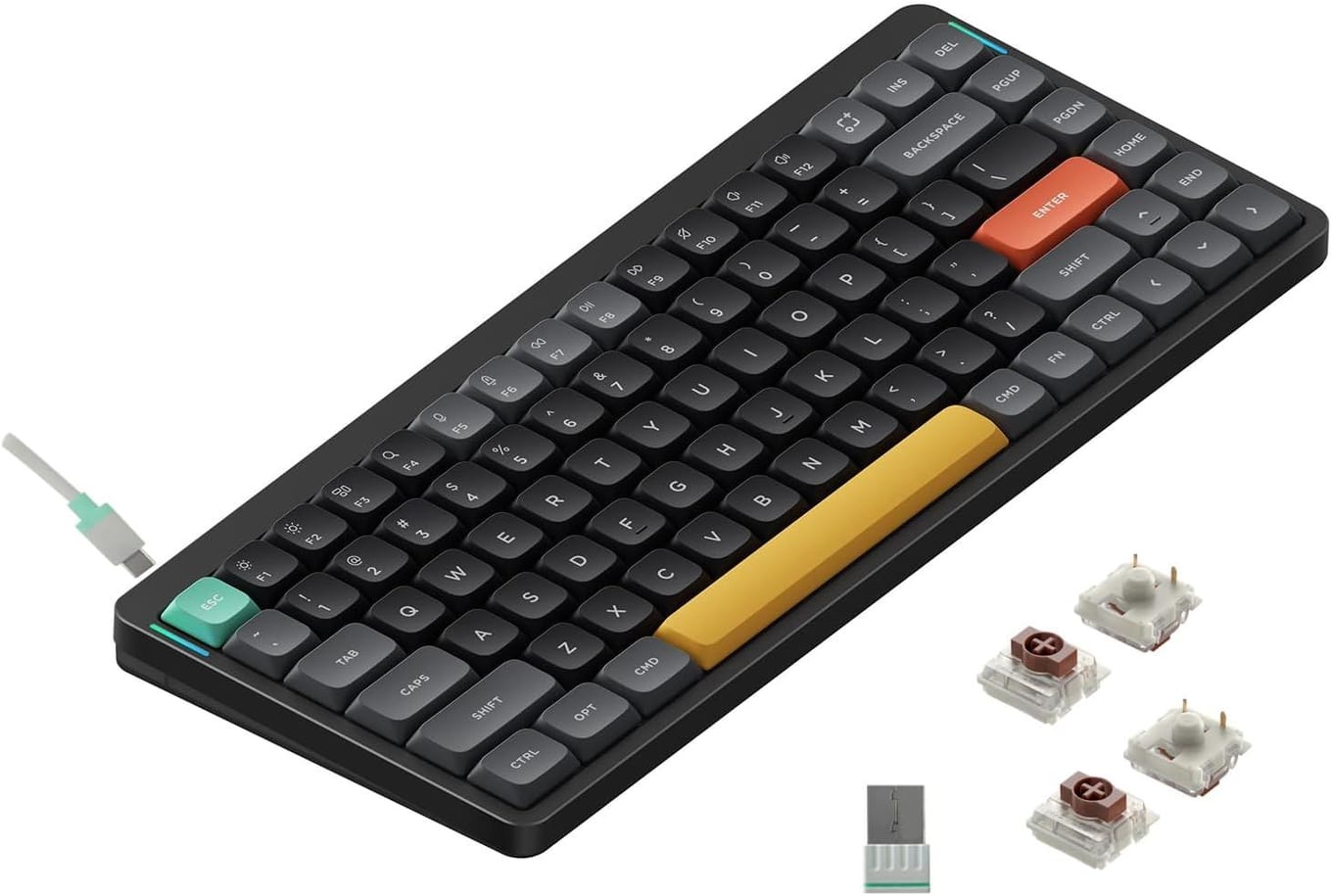
If a standard mechanical keyboard feels too tall and deep after years on a laptop, the NuPhy Air75 V2 is the answer. It's a low-profile 75% board barely 13.5mm thick — close to the height of a MacBook keyboard — so your wrists sit flat and natural without a palm rest. For developers coming from laptop life, it's the gentlest transition into mechanical typing.
Despite the slim profile, it's a real mechanical keyboard: hot-swappable low-profile Gateron switches, double-shot PBT keycaps that won't shine or fade, and an aluminum frame that keeps it rigid. The low-profile switches have a shorter travel than full-size ones, which many fast typists actually prefer for rapid, light keystrokes during long coding stretches. It connects three ways — Bluetooth 5.1 to up to four devices, a 2.4GHz dongle with a 1000Hz polling rate, and USB-C wired — and the Mac/Windows toggle plus dedicated Mac keycaps make it a natural fit for Apple-centric developers.
Programmability comes through NuPhy's companion software and VIA support, so you can remap keys, build layers, and tune the RGB. It's portable enough to slip into a bag for a coffee-shop coding session, yet substantial enough to anchor a permanent desk. The one caveat: low-profile switches are a distinct feel, and if you love deep, chunky travel, this won't scratch that itch — but for slim-desk and laptop-style typing, nothing else here comes close.
Key Specs#
Layout : 75% (84 keys), low-profile
Profile : 13.5mm thick, 598g, aluminum frame
Keycaps : Double-shot PBT, low-profile
Programmability : VIA support + NuPhy console app
Connectivity : Bluetooth 5.1 (4 devices), 2.4GHz (1000Hz), USB-C
Switches : Hot-swappable low-profile Gateron
Bottom line#
The best pick for developers who want a mechanical feel without the wrist strain of a tall board, or who switch between laptop and desk all day.
Which one should you buy?#
All three are excellent programming keyboards, so the right choice comes down to your desk, your budget, and how you like to type.
If you want the best all-around experience and don't mind paying for it, get the Keychron Q1 Max. Its aluminum gasket-mounted build, wireless flexibility, and full QMK/VIA programmability make it the keyboard you'll keep for years — and the one your fingers will thank you for during long sessions.
If you're on a budget or building your first programmable mechanical setup, the Keychron C3 Pro gives you the same QMK/VIA remapping in a wired TKL package for far less. It's the smart entry point that doesn't lock you out of the feature that matters most.
If you've spent years on a laptop and a normal mechanical board feels too tall, the NuPhy Air75 V2 is the pick. Its slim low-profile design keeps your wrists flat, and it travels as easily as it anchors a desk — ideal for developers who move between locations.
And if your day is mostly prompts, specs, and reviewing generated code, you don't need a separate AI-era pick — that workload is the Q1 Max case in disguise. Hours of continuous prose reward exactly what its cushioned gasket mount and composed sound deliver; on a budget, the C3 Pro makes the same argument in a wired package.
FAQ#
What size keyboard is best for programming?#
Most programmers are happiest with a 75% or TKL layout. Both keep the function row, arrow keys, and a navigation cluster — keys you actually use for debugging and editing — while dropping the number pad to keep your mouse closer to home. A 75% (like the Q1 Max or Air75 V2) is the most compact of these; a TKL (the C3 Pro) is slightly wider but spaces the navigation keys out more.
Do these keyboards have dedicated Esc and tilde (~) keys?#
Yes — all three keep a physical Esc and a dedicated backtick/tilde key, no function layer required. That's a direct consequence of the layouts we picked: 75% and TKL boards retain both. On the smaller 65% and 60% layouts something has to give — Esc usually survives by taking over the backtick's corner, which pushes and ~ behind a function layer instead: a constant tax when~` is home in your shell and backticks fence every code block. If you want them elsewhere anyway, QMK/VIA remapping puts them wherever your fingers prefer.
Do I need QMK/VIA as a developer?#
It's the single most valuable feature for coders. QMK/VIA lets you remap any key, build layers (for example, putting brackets and symbols under your home row), and record macros for repetitive boilerplate. All three keyboards here support it or an equivalent, and on the Keychron boards the configuration is stored on-board so it follows you to any computer.
Has AI-assisted coding changed what keyboard a programmer needs?#
It shifted the mix, not the need. When an assistant writes more of the syntax, you type more natural-language prose — prompts, specs, commit messages, code-review comments — so a programmer's keyboard increasingly has to be a comfortable typewriter first: cushioned mount, composed sound, a feel that survives hours of continuous writing. Tab also works overtime accepting completions. The symbols and shortcuts are still there the moment you drop into code, which is why programmable layers keep their value. Think "comfortable typewriter with programmable layers," not "gaming pad."
Are these keyboards good for both Mac and Linux?#
Yes. All three include a physical macOS/Windows toggle that swaps the modifier layout, and they work cleanly on Linux as well. The Keychron boards store remapping on-device via QMK/VIA, which is handy if you SSH between machines or move the keyboard between a Mac and a Linux workstation.
Wired or wireless for coding — does it matter?#
For a fixed desk, wired is perfectly fine and eliminates any latency or battery concern — which is why the budget C3 Pro is wired-only. If you switch between a laptop and a desktop, or want a cleaner desk, the Q1 Max and Air75 V2 both offer 2.4GHz and Bluetooth alongside USB-C, so you get wireless freedom without giving up a wired fallback.
Why choose a low-profile keyboard like the NuPhy Air75 V2?#
Low-profile boards sit much closer to desk height, so your wrists stay flat without a palm rest — a big comfort win if you're coming from a laptop. The shorter key travel also suits fast, light typists. The trade-off is a different feel from traditional deep-travel switches, so it comes down to preference.
Can I replace the switches if one fails?#
On the Keychron Q1 Max and NuPhy Air75 V2, yes — both are hot-swappable, meaning switches pull out and push in without soldering, so you can replace a failed switch or change the feel (tactile, linear, or clicky) in seconds. The C3 Pro is the exception: choose the switch type you want at purchase, or step up to Keychron's newer C3 Pro 8K, whose Version option is labelled "RGB Backlight (Hot-swappable)".