

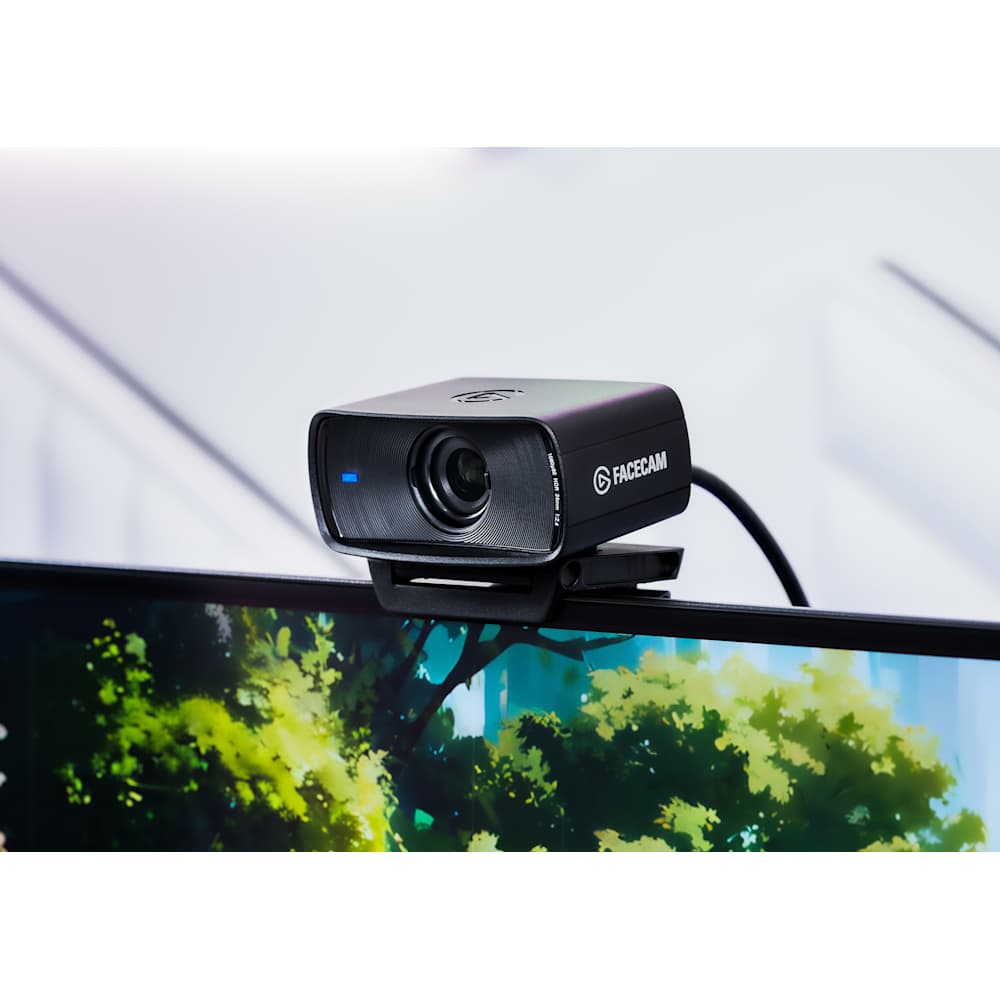
Summary#
The Elgato Facecam MK.2 is a premium 1080p60 webcam built for streamers and remote professionals who want DSLR-style control without a DSLR. A Sony Starvis sensor, HDR, and deep Camera Hub software tuning deliver clean, low-latency video that outclasses the plastic laptop webcam you're replacing.
At a Glance#
Product : Elgato Facecam MK.2
Brand : Elgato
Best For : Streamers, video callers, and content creators who want manual camera control and uncompressed Full HD
Interface : USB-C (USB 3.0), backward compatible with USB 2.0
Buy Now : View on Amazon
Key Highlights:
- Uncompressed 1080p at 60fps for smooth, blur-free motion on stream
- Sony Starvis sensor with HDR for clean video even in dim rooms
- Camera Hub software gives DSLR-style manual control over exposure, white balance, and contrast
- Digital pan, tilt, and zoom to frame yourself without moving the camera
- Built-in privacy shutter you slide shut when the camera's off
Who Should Buy This#
If your on-camera image still comes from a grainy laptop lens, the Facecam MK.2 is the single upgrade that makes the biggest visible difference. It records uncompressed Full HD at 60 frames per second, applies real HDR, and hands you the kind of manual control that used to require a mirrorless camera and a capture card. Everything runs off one USB cable and Elgato's free Camera Hub app.
Perfect for:
- Twitch and YouTube streamers who need sharp, high-frame-rate video that holds up next to overlays and gameplay capture
- Remote workers who take client-facing calls and want to look composed and well-lit instead of washed out
- Content creators who record talking-head segments and want manual exposure and color they can dial in once and forget
- Home-office professionals who dislike autofocus hunting mid-sentence and prefer a locked, tack-sharp focus zone
Design & Build Quality#
The Facecam MK.2 keeps the compact, all-black rectangular body of the original, measuring 84 by 38 by 61mm and weighing just 90 grams without its mount. The housing is plastic, which keeps it light on a laptop lid, but the included monitor clamp is solid and grips thick and thin displays alike. A 1/4-inch thread on the underside lets you skip the clamp entirely and mount it on a tripod or boom arm.
The standout physical feature is the sliding privacy shutter built into the front. Push it across and the lens is physically covered, so there's no guessing whether the camera can see you between calls. The 200cm braided USB-A to USB-C cable is long enough to reach a tower PC on the floor without an extension.
Key Features#
Uncompressed 1080p60 Over USB 3.0#
Most webcams compress their video before it leaves the camera, and that compression is exactly what produces the mushy, artifact-heavy look on fast movement. Over USB 3.0 the Facecam MK.2 sends uncompressed 1080p at 60fps, so motion stays crisp and your encoder gets a clean source to work with. It also supports 720p and 540p all the way up to 120fps for high-frame-rate capture, and falls back to MJPEG on USB 2.0 connections.
Sony Starvis Sensor With HDR#
The 1/2.5-inch Sony Starvis CMOS sensor pairs with an f/2.4 lens to pull in more light than the pinhole optics on a typical laptop. HDR runs at up to 1080p60, balancing a bright window behind you against your face instead of blowing out one or the other. In a dim home office the difference between this and a stock webcam is immediately obvious.
Camera Hub Manual Control#
This is where the Facecam MK.2 separates itself from plug-and-play webcams. Elgato's Camera Hub software exposes DSLR-style controls: exposure, ISO, white balance, contrast, saturation, and shutter speed are all adjustable by hand. Dial in a look you like and the camera's onboard memory stores it, so your settings survive a restart or a move to a different computer.
Digital Pan, Tilt, and Zoom#
Rather than physically nudging the camera, you frame yourself in software. Camera Hub offers digital pan, tilt, and zoom, letting you crop into a tighter headshot or recenter your framing without touching the hardware. Combined with the fixed-focus lens optimized for the 30–120cm range, you get a stable, always-sharp shot at typical desk distance.
Technical Specifications#
Sensor : Sony Starvis CMOS, 1/2.5 inch
Aperture : f/2.4
Field of View : 84 degrees diagonal
Focus : Fixed focus, optimized for 30–120 cm (11.8–47.2 in)
Max Resolution : 1080p at 60fps, uncompressed via USB 3.0
High Frame Rate Modes : 720p and 540p up to 120fps
HDR : Yes, up to 1080p60
Connection : USB Type-C (USB 3.0), backward compatible with USB 2.0
Cable : 200 cm braided USB-A to USB-C
Mounting : Monitor clamp plus 1/4-inch tripod thread
Dimensions : 84 x 38 x 61 mm (without mount)
Weight : 90 g without mount, 136 g with mount
Pros & Cons#
Pros:
- Uncompressed 1080p60 delivers noticeably smoother, cleaner motion than compressed webcams
- HDR and the Sony sensor handle mixed and low light far better than laptop cameras
- Camera Hub gives genuine manual control most webcams never offer
- Onboard memory keeps your tuned settings across restarts and computers
- Built-in sliding privacy shutter and a long braided cable
- Fixed focus stays sharp and never hunts mid-sentence
Cons:
- Plastic body feels less premium than the price suggests
- Fixed focus means it won't track you if you lean far in or out of the sweet spot
- Uncompressed 60fps requires a USB 3.0 port to reach full quality
- No built-in microphone, so you'll still need a separate audio solution
Final Verdict#
Buy it. The Elgato Facecam MK.2 is the clearest single upgrade for anyone whose face still comes through a cheap laptop lens, combining uncompressed 1080p60, HDR, and real manual control in one USB-C package.
Our recommendation: If you stream, record, or take client calls for a living, grab the Facecam MK.2, spend ten minutes in Camera Hub dialing in your look, and you'll never think about your webcam again. View on Amazon