

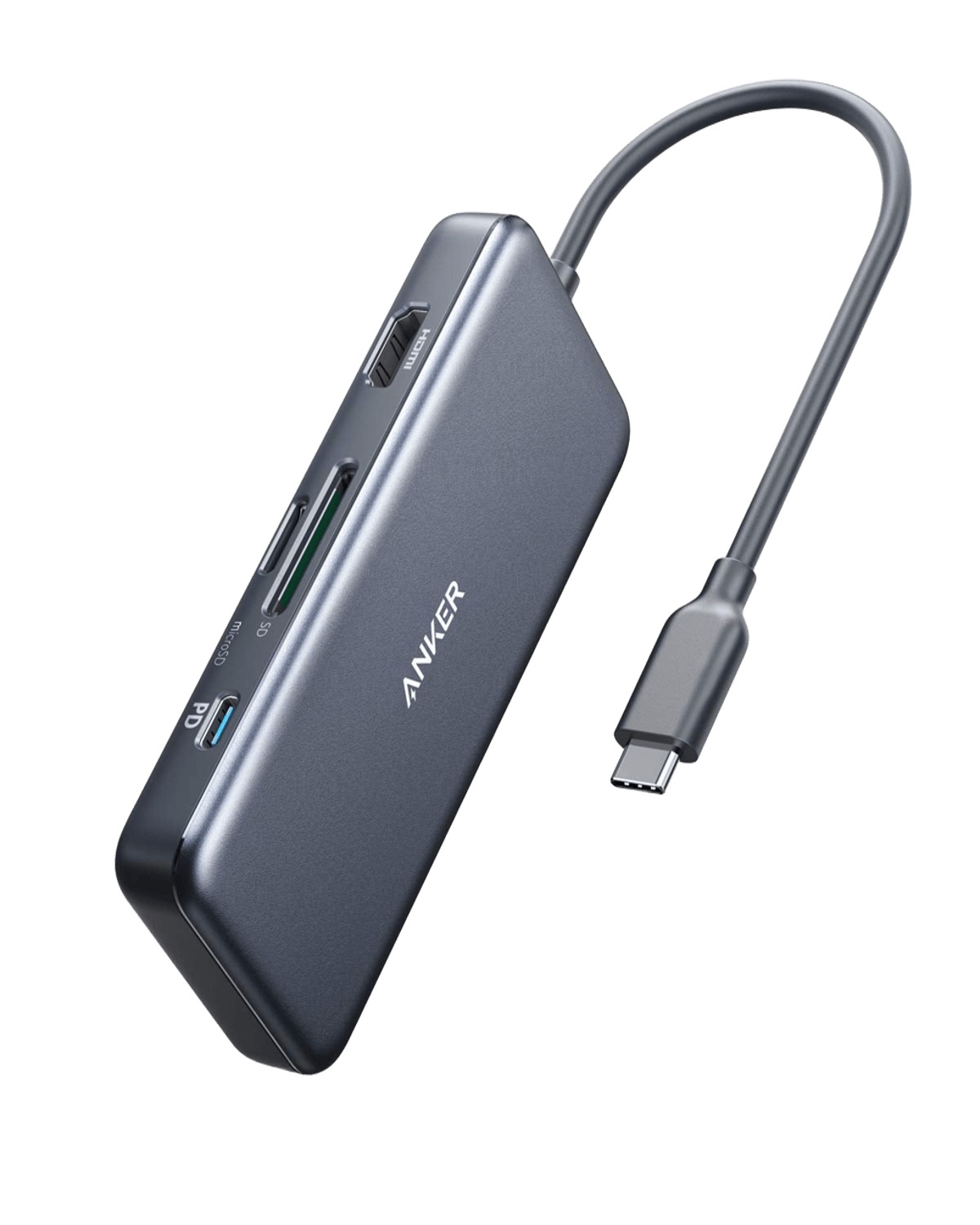
At a Glance#
Product : Anker 341 USB-C Hub (7-in-1)
Brand : Anker
Best For : MacBook and laptop users who need essential ports in a compact, travel-friendly package
Form Factor : Compact hub with a short integrated USB-C cable
Buy Now : View on Amazon
Key Highlights:
- 7 ports from one USB-C connection with 4K@30Hz HDMI output
- 85W pass-through charging keeps your laptop powered while using the hub
- 5Gbps on the two USB-A ports; the USB-C data port is USB 2.0, at 480Mbps
- Built-in SD and microSD card readers, both UHS-I
- 18-month Anker warranty
Who Should Buy This#
The Anker 341 hits a sweet spot for users who need reliable port expansion without paying for features they'll never use. It delivers the seven most-requested ports in a compact, well-built package that competitors reserve for their premium hubs.
Perfect for:
- MacBook users who lost their ports to Apple's minimalist design and need HDMI, USB-A, and card readers daily
- Remote workers who present to monitors in different locations and need a portable, plug-and-play hub
- Content creators who transfer files from SD cards and need fast, reliable card readers without dongles
- Business travelers who need a single, lightweight hub that handles presentations, charging, and peripherals
Design & Build Quality#
Anker's own comparison spec lists the material as "Aluminum & Polycarbonate": an aluminium top face with polycarbonate end caps. The dark gray matches MacBook aesthetics and resists fingerprints better than a glossy shell would.
The same Anker table gives the hub as 4.61 × 2.1 × 0.57 in. Weight is the one figure nobody publishes cleanly — Anker's A8346 manual lists 140 g / 4.94 oz against a "Size" of 330 × 55 × 16 mm, which is the hub plus its cable laid flat, while Amazon's auto-field says 3.52 oz. Either way it is pocket-sized, and the short integrated cable tucks against the body rather than dangling.
Key Features#
4K HDMI Output#
The HDMI 1.4 port supports 4K@30Hz output, sufficient for presentations, movie viewing, and extended desktop use. Anker lists it as HDMI 1.4 with HDCP 2.2 and no HDR. For reference, 4K@30Hz displays smooth video and static content but may show slight motion blur in fast-paced gaming—fine for productivity, less ideal for competitive gaming.
Connect to any HDMI monitor or TV without adapters. The digital signal maintains quality over longer cable runs without degradation.
85W Pass-Through Charging#
The USB-C Power Delivery port takes 100W in and passes up to 85W to the laptop, the missing 15W being what the hub itself runs on — though Anker's own A8346 manual is less generous than its website, recommending a 100W charger for "77W for charging the connected laptop and 23W for powering the hub", so budget for the lower number. Anker is explicit that a 100W Power Delivery charger and cable are required to reach 85W, and that this is enough to "power up a 15-inch MacBook Pro at full speed" while you use the other ports. Only that port charges — the USB-A ports and the USB-C data port do not.
This eliminates the frustrating choice between charging and connectivity. Your laptop stays powered during presentations, file transfers, and video calls without draining the battery.
Data Ports: read the small print#
This is the spec most listings blur, including Anker's own. The Amazon bullet says "USB-C and USB-A data ports provide file transfer at speeds up to 5 Gbps", and it is that "up to" doing the work. Anker's own specification table for this model, A8346, is precise: the two USB-A data ports are USB 3.0 at 5Gbps, and the single USB-C data port is USB 2.0 at 480Mbps. That is roughly a tenth of the speed.
Plan around it. The USB-A ports are the ones to use for an external SSD or a big card dump; the USB-C data port is fine for a mouse, a keyboard, a dongle or a flash drive you are not in a hurry with. It also does not carry video — Anker states media display works only through the HDMI port, not over USB-C, even with a USB-C to HDMI or USB-C to DisplayPort cable. Anker additionally publishes a list of laptops that will not drive a display through this hub at all, among them the ASUS VivoBook L203MA and VivoBook 15, the ZenBook 13, the Lenovo 100e Chromebook 2nd Gen and Ideapad L340, and the Acer Aspire 5 Slim.
Dual Card Readers#
Integrated SD and microSD slots, both UHS-I. Anker says they "support virtually all SD card formats", and does not publish a capacity ceiling, so treat a very large card as something to check rather than assume. Photographers can import directly without carrying a separate reader.
Technical Specifications#
Ports : 1× HDMI, 1× USB-C (PD), 1× USB-C (data), 2× USB-A, SD slot, microSD slot
HDMI Output : 4K@30Hz, HDMI 1.4 with HDCP 2.2, no HDR
Power Delivery : 100W in, up to 85W out to the laptop, 15W for the hub; requires a 100W PD charger and cable
Data Transfer : 2 × USB-A at USB 3.0 5Gbps; 1 × USB-C data port at USB 2.0 480Mbps
Card Support : SD and microSD, both UHS-I; Anker publishes no capacity ceiling
Cable : Short integrated USB-C cable; Anker publishes no length for the cable alone
Dimensions : 4.61 × 2.1 × 0.57 in, per Anker's own comparison spec
Material : Aluminum & Polycarbonate, per Anker
Weight : Not published cleanly — Anker's manual says 140 g / 4.94 oz for a 330 mm "Size" that includes the cable; Amazon's auto-field says 3.52 oz
Warranty : 18 months
Compatibility : Anker lists MacBook Pro 2016–2020, MacBook Air 2018–2020 and Pixelbook 2017, and supports Windows, macOS 10.6+, Linux 2.6.14+ and iPadOS. Known incompatible: Nintendo Switch, Apple USB SuperDrive, the original XPS 13 stock adapter
Pros & Cons#
Pros:
- All seven most-needed ports in one compact hub
- 85W pass-through keeps the laptop charged, enough for a 15-inch MacBook Pro at full speed
- Both card slots are UHS-I rather than one being an afterthought
- Plug-and-play operation, no drivers required
- Compact enough for pocket carry without bulk
- 18-month warranty from an established brand
Cons:
- The USB-C data port is USB 2.0 at 480Mbps, not 5Gbps like the USB-A pair
- HDMI limited to 4K@30Hz, not 4K@60Hz
- USB-C data port does not support video output
- No Ethernet port for wired network connections
- Anker's own manual quotes a lower 77W/23W split than the 85W/15W on its website
Final Verdict#
Buy it, with one eye open. The Anker 341 delivers the seven ports most laptop users actually need, in an aluminium-and-polycarbonate shell, with a genuinely useful 85W of pass-through and two UHS-I card slots. Just do not buy it expecting a fast USB-C data port: that one is USB 2.0, and the two USB-A ports are where the 5Gbps lives.
Our recommendation: Keep one at your desk and one in your bag. You'll never be caught without the ports you need. View on Amazon