

At a Glance#
Best Overall : SanDisk Optimus GX PRO 850X 2TB (no heatsink) — View on Amazon
Premium Pick : Samsung 990 Pro 2TB — View on Amazon
Also Great : Samsung 990 2TB — View on Amazon
Key Highlights:
- Gen4 speed is what matters for gaming: All three drives push past 7,000 MB/s sequential reads, the headroom that makes big open-world textures stream without stutter.
- Capacity beats raw benchmark numbers: Modern games eat 100GB-plus installs, so 2TB is the sweet spot that keeps a full library installed instead of constantly uninstalling.
- Your motherboard already has a heatsink: Most modern boards ship M.2 heatsinks, so a bare drive is usually the right call for a desktop.
- A drive's own heatsink can fight your board's: Buying a pre-finned SSD for a desktop often means it physically won't fit under the motherboard's M.2 cover.
- Real-world load times feel nearly identical at the top: Once you clear the 7,000 MB/s bar, the difference between these drives is small in actual games.
How We Chose#
Picking the right NVMe SSD for a gaming PC is less about chasing the single highest benchmark and more about matching the drive to how a desktop actually runs games. We weighted things that genuinely move the needle: real Gen4 sequential speed for asset streaming and the practical heatsink question that trips up most desktop builders. We also factored in endurance ratings and warranty length, because a gaming drive gets written to constantly as you install, patch, and rotate your library.
Speed alone is a trap. The gap between a 7,300 MB/s drive and a 7,450 MB/s drive is invisible in a real game. What you actually feel is enough capacity to avoid the uninstall-reinstall treadmill. Here is what we prioritized:
- PCIe Gen4 x4 throughput: The current sweet spot for gaming. Gen5 drives exist, but they run hotter and deliver little gaming benefit today.
- The desktop heatsink reality: We favored bare drives because nearly every modern motherboard already includes M.2 cooling, making an extra heatsink redundant or even incompatible.
- Endurance and warranty: A long warranty and high TBW rating protect a drive that sees heavy daily writes from gaming and updates.
One more thing we deliberately did not chase: Gen5. PCIe Gen5 SSDs are starting to appear, and they post huge benchmark numbers. But for gaming today they run hotter and often demand active cooling, for load-time gains you will struggle to notice. Games are not bottlenecked by sequential read speed once you are past 7,000 MB/s. They are limited by your CPU, GPU, and how a title is coded. A great Gen4 drive is the rational pick for a gaming build in 2026, which is why all three of our picks are Gen4.
Best Overall: SanDisk Optimus GX PRO 850X#
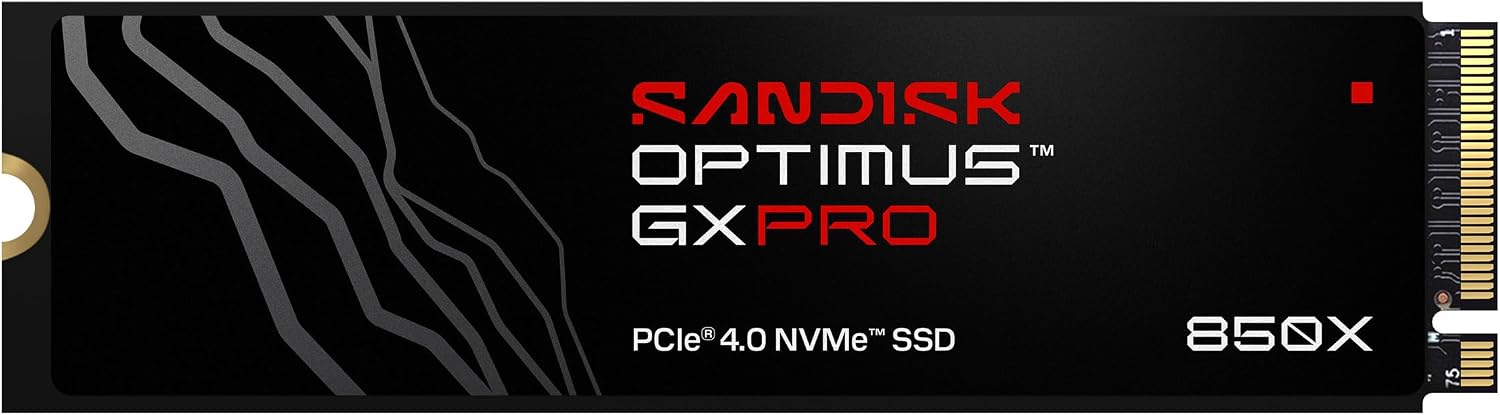
The SanDisk Optimus GX PRO 850X 2TB (no heatsink) wins for the widest range of gaming builds, and it earns that spot by getting the fundamentals exactly right. It is the drive SanDisk names as the successor to the WD_BLACK SN850X. It delivers sequential reads up to 7,300 MB/s and writes up to 6,600 MB/s on the 2TB and 4TB models, which sits right at the top of what Gen4 can do. In practice that means game levels load fast, open worlds stream without hitching, and big downloads finish quickly.
Get the 2TB Optimus GX PRO 850X (no heatsink) here: View on Amazon.
Why the no-heatsink version is the smart desktop choice. This is the part most buyers get wrong. Nearly every modern gaming motherboard ships with its own M.2 heatsink, a metal cover with a thermal pad that screws right over your SSD. When you buy a drive that already has a tall heatsink attached, the drive's fins can physically collide with your motherboard's M.2 cover, so it will not seat properly. The bare GX PRO 850X slides cleanly under your board's existing heatsink and lets that cooling do its job. For a desktop, bare is usually the right call.
The GX PRO 850X supports Microsoft DirectStorage, the technology that lets compatible games pull compressed assets straight to your GPU instead of routing everything through the CPU. It also integrates SanDisk nCache 4.0 technology, and SanDisk's software lets you turn on Game Mode.
Picking your capacity. The 2TB GX PRO 850X (View on Amazon) is the editorial pick and the right size for most people, holding a deep library of modern games without constant juggling. For a secondary game drive, the 1TB version (View on Amazon) is also rated for reads up to 7,300 MB/s. If you install everything and never want to think about space again, the 4TB model (View on Amazon) gives you massive capacity. Whatever size you choose, stick with the no-heatsink variant for a desktop with an M.2-cooled board.
Our WD_BLACK SN850X review covers the earlier model.
Premium Pick: Samsung 990 Pro#
It posts sequential reads up to 7,450 MB/s and writes up to 6,900 MB/s. More importantly, it pairs those peaks with excellent random read performance, which is the kind of small-file access pattern that games and an operating system actually lean on constantly.
Pick the Samsung 990 Pro 2TB here: View on Amazon. Note that Samsung also sells a separate heatsink version of this drive; our link is the standard model, which is the right choice for a desktop board that already includes M.2 cooling.
Also Great: Samsung 990#
The Samsung 990 2TB is an M.2 2280, PCIe 4.0 x4 drive that Samsung rates for sequential reads up to 7,250 MB/s and writes up to 6,450 MB/s. Samsung also says it delivers up to 38% better power efficiency than the 990 PRO. It uses Host Memory Buffer (HMB) technology and carries a 3-year or 800 TBW limited warranty.
Get the Samsung 990 2TB here: View on Amazon.
Heatsink or No Heatsink for a Desktop?#
This single question decides which version of a drive to buy, and the answer for most desktops is simple: no heatsink. Modern gaming motherboards almost universally include an M.2 heatsink, a metal shroud with a thermal pad that mounts directly over your SSD slot. That cooling is designed to handle a bare drive perfectly, drawing heat away during sustained loads so the SSD holds its speed.
That is why we recommend the bare GX PRO 850X for desktop builds. Let your motherboard's heatsink do the work it was built for.
One important exception: a PlayStation 5. The PS5's M.2 expansion bay does not include cooling, so there you absolutely want a drive with a heatsink. If you are buying for console expansion rather than a desktop, that is a different decision entirely, and our WD_BLACK SN850X PS5 review covers the heatsink model.
Technical Specifications#
A side-by-side look at the three picks. All are PCIe Gen4 x4, M.2 2280 drives, so they drop into the same slot on any modern gaming motherboard.
SanDisk Optimus GX PRO 850X 2TB (No Heatsink) — Best Overall
- Interface: PCIe Gen4 x4 NVMe
- Form Factor: M.2 2280
- Sequential Read: Up to 7,300 MB/s
- Sequential Write: Up to 6,600 MB/s (2TB and 4TB models)
- Endurance (TBW): 1,200 (2TB model)
- Warranty: 5 years
- Software: SanDisk Dashboard (Windows only); Game Mode
- Caching: SanDisk nCache 4.0
- DirectStorage: Supported
- Heatsink: None (a separate heatsink variant exists)
Samsung 990 Pro 2TB — Premium Pick
- Interface: PCIe Gen4 x4 NVMe
- Form Factor: M.2 2280
- Sequential Read: Up to 7,450 MB/s
- Sequential Write: Up to 6,900 MB/s
- Strengths: Strong random read performance
- Controller: Samsung in-house controller with V-NAND
- Warranty: 5 years
- Software: Samsung Magician management suite
- Heatsink: Standard model has none (a separate heatsink variant exists)
Samsung 990 2TB — Also Great
- Interface: PCIe 4.0 x4 NVMe
- Form Factor: M.2 2280
- Sequential Read: Up to 7,250 MB/s
- Sequential Write: Up to 6,450 MB/s
- Caching: Host Memory Buffer (HMB)
- Warranty: 3 years or 800 TBW (limited)
Pros & Cons#
A focused look at our top recommendation, the SanDisk Optimus GX PRO 850X 2TB (no heatsink), since that is the drive most readers will buy.
Pros:
- Top-tier Gen4 speed with reads up to 7,300 MB/s and writes up to 6,600 MB/s, so games and downloads fly.
- SanDisk's software lets you turn on Game Mode, and the drive integrates SanDisk nCache 4.0 technology.
- DirectStorage support means the drive is ready for next-generation games that stream assets straight to the GPU.
- The bare design is the correct choice for desktops, sliding cleanly under your motherboard's existing M.2 heatsink.
- Available in 1TB, 2TB, 4TB and 8TB, so you can match capacity to your library without changing drive families.
Cons:
- No bundled heatsink, so the rare desktop with an uncooled bare M.2 slot will need a separate one (most boards include cooling).
- Peak sequential reads trail the Samsung 990 Pro by a small margin, though the gap is invisible in real games.
- The SanDisk Dashboard application is Windows only, so other operating systems go without it.
Final Verdict#
For the vast majority of gaming PC builders, the SanDisk Optimus GX PRO 850X 2TB (no heatsink), successor to the WD_BLACK SN850X, is the right NVMe SSD. It delivers top-tier Gen4 speed, Game Mode in SanDisk's software, DirectStorage support, and the bare form factor that pairs perfectly with the M.2 heatsink your motherboard almost certainly already has.
Ready to build? Get the SanDisk Optimus GX PRO 850X 2TB (no heatsink) here: View on Amazon.