

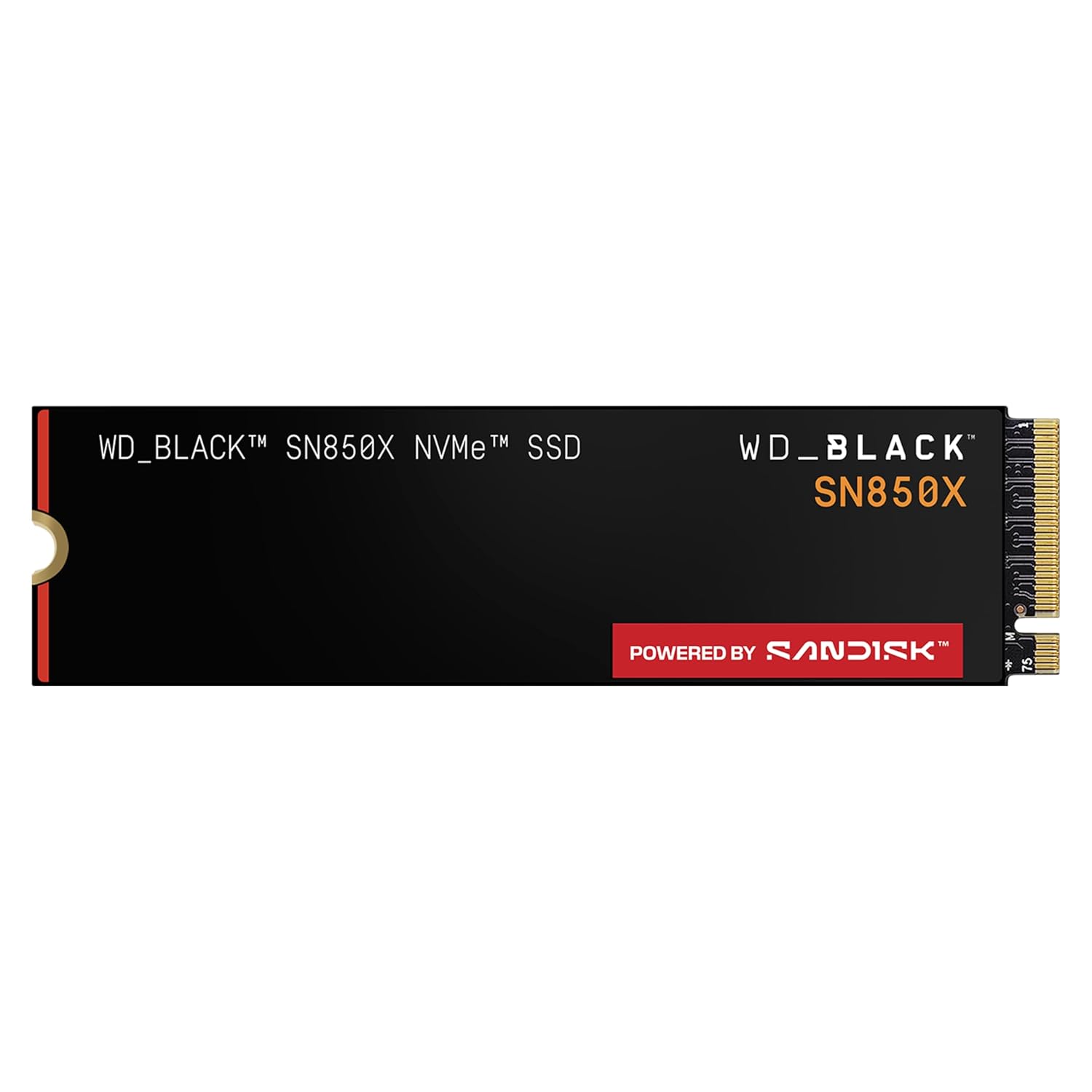
Now Sold As the SanDisk Optimus GX PRO 850X#
The WD_BLACK SN850X's product listing now says the product "has been replaced by our latest generation" and points to the SanDisk Optimus GX PRO 850X. SanDisk sells the GX PRO 850X with or without a heatsink and rates it up to 7,300 MB/s read and 6,600 MB/s write on the 2TB and 4TB models, with a 5-year limited warranty. SanDisk also states that the heatsink version is compatible with PS5 and PS5 Pro consoles.
- 1TB: View on Amazon
- 2TB: View on Amazon
- 4TB: View on Amazon
- 2TB with heatsink: View on Amazon
Everything below this section — the fit, the figures and the verdict — describes the WD_BLACK SN850X, not its successor.
At a Glance#
Product : WD_BLACK SN850X NVMe SSD
Brand : Western Digital (WD_BLACK)
Best For : Gamers and creators who want Gen4 speed in a gaming PC or a fast-loading game library — for a PS5, buy the heatsink model instead (see the heatsink section below)
Interface : PCIe Gen4 x4 NVMe 1.4, M.2 2280
Capacities : 1TB, 2TB, 4TB (plus an 8TB heatsink model)
Key Highlights:
- Sequential reads up to 7,300 MB/s and writes up to 6,600 MB/s (2TB and 4TB)
- Game Mode 2.0 with predictive loading and overhead balancing, tuned for how games actually read data
- Adaptive Thermal Management and nCache 4.0 keep sustained performance steady under long sessions
- Sold in two flavors — a bare drive and a low-profile heatsink model — so you match the drive to the slot
- 5-year limited warranty with up to 2,400 TBW endurance and a 1.75M-hour MTTF rating
What the WD_BLACK SN850X Is#
The WD_BLACK SN850X is a high-performance internal SSD in the M.2 2280 form factor. That "2280" means it's 22mm wide and 80mm long — the standard size that fits almost every modern motherboard and the PS5's storage bay.
Under the hood, it speaks PCIe Gen4 x4. In plain terms, it uses four high-speed lanes on a Gen4 connection. That's what unlocks the headline numbers: sequential reads up to 7,300 MB/s, with writes up to 6,300 MB/s on the 1TB and up to 6,600 MB/s on the 2TB and 4TB. Those are the ceiling figures, not everyday averages, but they tell you the drive sits near the top of what Gen4 can do.
Speed is only half the story. The SN850X is built for gaming, and it shows. Game Mode 2.0 predicts what a game is about to load and balances background overhead so the drive stays responsive mid-session. nCache 4.0 is WD's write-caching layer, which keeps short bursts fast. Adaptive Thermal Management throttles intelligently instead of falling off a cliff when things heat up. Together they aim at sustained, consistent performance rather than a single benchmark spike.
SN850 vs SN850X: What Actually Changed#
This is the question that trips up most buyers, because the names are one letter apart. The short version: the SN850X is the 2022 refresh of the 2020 SN850. Same family, newer internals.
Here's what changed in the move from SN850 to SN850X.
- Faster NAND and a tuned controller: The original SN850 used 96-layer flash; the SN850X moved to faster 112-layer TLC NAND paired with an optimized controller. The practical result is higher sequential writes and stronger random performance, which is the kind of access pattern games and apps actually generate.
- Game Mode 2.0: The SN850 had the first Game Mode. The SN850X upgrades to Game Mode 2.0, which adds predictive loading and better overhead balancing. It's designed to keep the drive snappy during real gameplay, not just during a benchmark.
- Bigger capacities: The SN850X extended the line upward with 4TB and even an 8TB heatsink option. The original SN850 didn't reach those sizes. If you want a single large drive for a growing game library, the SN850X is the one that scales.
- Improved sustained thermals: Adaptive Thermal Management is more refined on the SN850X, so it holds performance better across longer transfers and marathon sessions instead of throttling early.
What did not change is just as important. Both drives use the same PCIe Gen4 x4 interface and the same M.2 2280 form factor. Both top out around 7,000-7,300 MB/s on sequential reads. Endurance ratings line up too — a 2TB model is rated for 1,200 TBW on either generation.
So should an SN850 owner rush to upgrade? Honestly, no. If you already run a healthy SN850, the SN850X gains are real but modest, and they don't justify swapping a working drive.
With or Without Heatsink: Which Should You Buy?#
This is the single most-confused question about this drive, and it deserves a real answer rather than a shrug. The SN850X is sold as a bare drive and as a model with a factory low-profile heatsink. They are the same SSD inside. The difference is the slab of metal bolted on top — and whether you need it depends entirely on where the drive is going.
Work through this decision tree and you'll land on the right SKU.
If you're upgrading a PS5: buy the heatsink#
This one isn't a preference, it's a rule. Sony explicitly requires effective heat dissipation — a heatsink and heat-transfer setup — for any M.2 SSD you add to a PS5. The console's expansion bay has no built-in cooler of its own, so the drive must bring one. Sony also caps the total height: the drive plus its cooling must stay under 11.25mm overall, with under 8mm sitting above the board. The SN850X's factory heatsink is designed as a low-profile unit that fits inside that envelope and slots cleanly under the PS5's expansion cover.
For a PS5, get the heatsink model; our WD_BLACK SN850X PS5 review covers it.
If you're building or upgrading a desktop PC: usually buy the bare drive#
Most modern gaming motherboards ship with their own M.2 heatsink — a metal shroud over the primary M.2 slot, often with a thermal pad underneath. If your board has one, you do not want a second heatsink fighting it. Two heatsinks can physically conflict.
So if your motherboard already cools its M.2 slot, buy the bare SN850X — the no-heatsink model. It drops straight under your board's existing shroud, and you lose nothing on thermals because the board is already handling them. If you're still deciding which SSD to put in a new rig, see our guide to the best NVMe SSD for a gaming PC.
If you have a bare desktop slot with no cooler: get the heatsink#
Not every board cools every slot. Secondary M.2 slots, budget boards, and some Mini-ITX layouts leave the drive bare. If the slot has room above it and no board-supplied cooler, get the heatsink model so the drive can hold its speed. Just confirm clearance first — tall GPUs or low-mounted slots can crowd a heatsink.
If it's a laptop: almost always the bare drive#
Laptops are tight on vertical space. In a thin laptop, a chunky aftermarket heatsink usually won't fit, and the chassis often has its own thermal pad or plate to draw heat into the case. For nearly every laptop, buy the bare drive and let the machine's own cooling do its job. Only consider a heatsink in a large desktop-replacement laptop with confirmed clearance and no existing thermal solution.
The decision tree in one breath#
- PS5 → heatsink model, no exceptions.
- Desktop with a motherboard M.2 heatsink → bare model, conflict-free — see the gaming PC SSD roundup.
- Bare desktop slot, no cooler, room above it → heatsink model.
- Laptop → bare model for clearance.
Get this right and you keep the drive cool where it counts.
How to Pick a Capacity#
Once the heatsink question is settled, capacity is the next call. The SN850X comes in 1TB, 2TB, and 4TB (with an 8TB heatsink model at the top). Here's how to choose without overthinking it.
- 1TB — the entry point: One terabyte fills up fast in 2026. A couple of big modern games can swallow 200-300GB between them. The 1TB SN850X makes sense as a fast boot-and-active-games drive when you also have bulk storage elsewhere. Note it's rated to 600 TBW and its sequential write ceiling is slightly lower at 6,300 MB/s.
- 2TB — the sweet spot: Two terabytes is the size most people should buy. It holds a real library without constant uninstall-shuffle, it hits the full 6,600 MB/s write ceiling, and it's rated for 1,200 TBW of endurance.
- 4TB — for big libraries and creators: Four terabytes is for people who genuinely fill space — large Steam and console libraries, 4K video projects, or anyone who hates managing storage. The 4TB SN850X keeps the full 6,600 MB/s write speed and doubles endurance to 2,400 TBW. Only step up if you know you need the room.
If you're unsure, default to 2TB. It's the size that almost nobody regrets.
Pros & Cons#
Pros:
- Gen4 speed — reads up to 7,300 MB/s and writes up to 6,600 MB/s on 2TB and 4TB
- Game Mode 2.0 with predictive loading tuned for real gameplay, not just benchmarks
- Sold in both bare and heatsink versions, so you can match the drive to a PS5, a board with its own cooler, or a bare slot
- Strong endurance and a 5-year warranty (up to 2,400 TBW, 1.75M-hour MTTF) for genuine peace of mind
- Scales up to 4TB (and 8TB with heatsink) for large libraries and creative work
- Adaptive Thermal Management and nCache 4.0 keep performance steady under sustained load
Cons:
- The 1TB model has a slightly lower write ceiling (6,300 MB/s) and lower endurance (600 TBW)
- You have to choose the right SKU — buying the wrong heatsink variant means either a refund or a conflict with your board's cooler
Final Verdict#
The WD_BLACK SN850X does the boring thing brilliantly: it's fast, and it's consistent. For most people the answer is the 2TB at the sweet spot, in the heatsink version for a PS5 and the bare version for a desktop whose motherboard already cools its M.2 slot. To buy, see the SanDisk Optimus GX PRO 850X section at the top of this page.
Where to next? If you're building or upgrading a rig, see our roundup of the best NVMe SSD for a gaming PC.