

At a Glance#
Product : Wyze Programmable Smart WiFi Thermostat
Brand : Wyze
Best For : Budget-minded homeowners upgrading from a basic dial or button thermostat who want app control and scheduling without a premium-brand price tag
Protocol : WiFi 2.4GHz, works with Alexa and Google Assistant
Buy Now : View on Amazon
Key Highlights:
- C-wire adapter included, so most no-C-wire homes can still install it
- Guided in-app setup gets you running in under 30 minutes
- Auto Home, Away, and Sleep modes trim heating and cooling automatically
- Voice control through both Alexa and Google Assistant
- Clean minimalist display that blends into any wall
Who Should Buy This#
The Wyze Thermostat hits a sweet spot for homeowners who want the core benefits of a smart thermostat—remote control, scheduling, and energy savings—without paying premium-brand prices. It delivers app control, auto scheduling, and dual voice-assistant support for a fraction of what competing brands charge for the same core features.
Perfect for:
- First-time smart-home buyers who want to test smart heating without committing to a pricier Nest or ecobee
- Budget renters and homeowners who need a straightforward upgrade from a manual or basic programmable thermostat
- DIY installers who want a guided, tool-light install they can finish in half an hour
- Existing Wyze users who already run Wyze cameras or plugs and want everything in one app
Design & Build Quality#
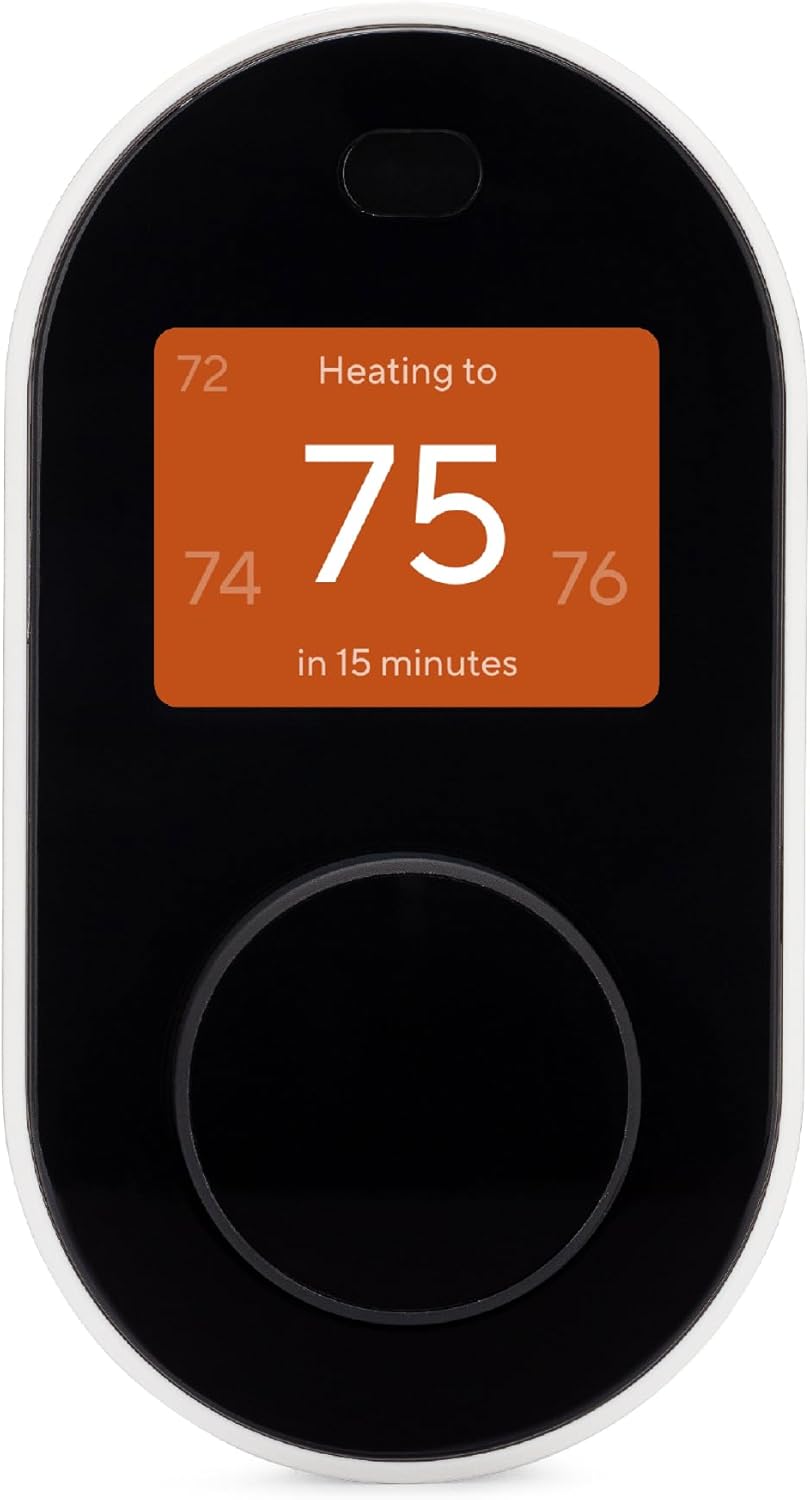
The Wyze Thermostat keeps things deliberately simple. A slim oval body, roughly 120 by 65 by 33mm, sits nearly flush against the wall in a black-and-white two-tone finish, with a clickable dial on the front panel you turn to adjust the temperature and a small colour IPS display that shows the current setpoint, mode, and room temperature.
There are no fussy buttons or busy menus on the wall unit itself. Most day-to-day control happens in the Wyze app, so the physical device stays clean and glanceable. The understated look means it disappears into a hallway or living-room wall rather than announcing itself as a gadget.
Key Features#
C-Wire Adapter Included In The Box#
A missing C-wire (the "common" wire that supplies steady power) is the number-one reason smart-thermostat installs stall. Wyze sidesteps that by including a C-wire adapter with every unit. It installs at your HVAC control board rather than behind the thermostat — Wyze's own walkthrough expects to find Y, W, G and R terminals there — so the thermostat gets constant power without you running a new cable.
That means a majority of homes that would otherwise need an electrician can install this themselves. Wyze's own listing rates it to work with 90% of home systems. The exception Wyze documents is a three-wire heat-only setup (Rc, G, W1) with no C: its compatibility checker calls those incompatible, and the published workaround is repurposing the G wire as the C wire, which costs you fan control unless you add a jumper.
Guided DIY Installation#
The Wyze app walks you through installation step by step, starting with a compatibility checker that walks through your existing wiring, then shows exactly where each labeled wire goes on the new base plate. Most people finish in under 30 minutes with nothing more than a screwdriver.
For anyone who has never touched their HVAC wiring, the guided walkthrough removes most of the guesswork that makes thermostat swaps intimidating.
Auto Home, Away, and Sleep Modes#
Instead of forcing you to build a rigid hourly schedule, the Wyze Thermostat leans on three behavior modes. Home keeps you comfortable, Sleep eases back overnight, and Away pulls temperatures toward energy-saving setpoints when nobody's around. The thermostat can shift between them automatically based on your phone's location and its own activity sensing.
The payoff is real savings on the days your routine changes—no more heating an empty house because you left early or stayed out late.
Voice Control With Alexa and Google Assistant#
Link the thermostat in the Wyze app and you can adjust temperature or switch modes hands-free through both Amazon Alexa and Google Assistant. Ask to bump the heat two degrees from the couch, or fold the thermostat into a "good night" routine that lowers the temperature as you head to bed.
Supporting both major ecosystems means you're not locked into one voice platform to get hands-free control. Check current availability: View on Amazon
Remote Control and Scheduling From Anywhere#
Because the thermostat stays connected over your 2.4GHz WiFi, the Wyze app gives you full control from anywhere with a signal. Turn the heat up on the drive home, confirm you didn't leave the AC blasting, or tweak your weekly schedule from the office. Everything lives in the same app as the rest of your Wyze devices.
Technical Specifications#
Connectivity : WiFi 2.4GHz (802.11 b/g/n)
Voice Assistants : Amazon Alexa and Google Assistant
System Compatibility : Most 24V low-voltage systems, including single- and multi-stage conventional and heat pump setups
Power : C-wire required; C-wire adapter included in box
Scheduling : 7-day programmable with Home, Away, and Sleep modes
Auto Switching : Automatic heat/cool changeover in Auto mode
Display : Colour IPS display, clickable front dial for control
Auto-Away Sensing : Phone geolocation plus on-device activity sensing
App : Wyze app for iOS and Android
Finish : Black and white two-tone, glossy front panel, flush-mount oval body
Not Compatible With : Line-voltage (120/240V) baseboard heating; Wyze also lists zoning controllers and modulating systems as unsupported
Pros & Cons#
Pros:
- Costs a fraction of Nest or ecobee while covering the same core smart features
- Includes a C-wire adapter, so most no-C-wire homes can still install it
- Guided in-app installation takes under 30 minutes with no HVAC experience
- Auto Home, Away, and Sleep modes cut heating and cooling when the house is empty
- Works with both Alexa and Google Assistant for hands-free control
- Clean, minimalist display that fits any wall without looking like a gadget
Cons:
- Requires a compatible 24V low-voltage system; line-voltage baseboard heating is unsupported
- No bundled remote temperature sensors like ecobee includes for multi-room balancing
- Features depend on the Wyze app and account ecosystem
- No native Apple HomeKit support for Siri or the Home app
- Not ENERGY STAR certified, by Wyze's own FAQ
FAQ#
Q: Does the Wyze Thermostat need a C-wire? A: It requires a C-wire for steady power, but a C-wire adapter is included in the box, and it installs at the HVAC control board rather than behind the thermostat. Wyze rates the thermostat for 90% of home systems; the exception it documents is a three-wire heat-only setup with no C, where you repurpose the G wire as the C wire instead.
Q: Is the Wyze Thermostat compatible with my HVAC system? A: Wyze rates it to work with 90% of home systems. It supports 24V low-voltage setups, including single- and multi-stage conventional and heat pump systems, and it does not work with line-voltage (120/240V) baseboard heating.
Q: Does the Wyze Thermostat work with Alexa and Google Assistant? A: Yes. Once linked in the Wyze app, you can adjust the temperature and change modes by voice through both Amazon Alexa and Google Assistant.
Final Verdict#
Buy it. The Wyze Thermostat delivers the smart-thermostat essentials—app control, auto scheduling, and dual voice-assistant support—at a price that makes upgrading a no-brainer, and the included C-wire adapter clears the biggest install hurdle for most homes.
Our recommendation: If you're new to smart heating, start here before spending three times as much on a premium brand—you get most of the daily benefit for far less. Get it now: View on Amazon