

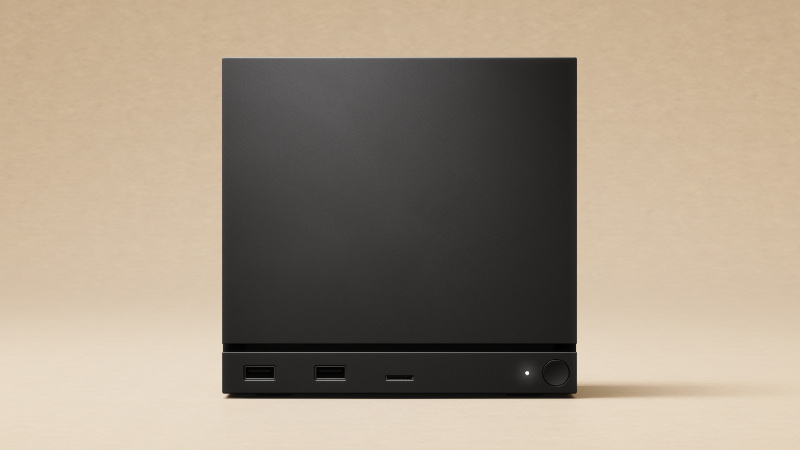
Internal SSD Slot: The Facts#
| Question | Answer | Source |
|---|---|---|
| Slot type | Single M.2, PCIe 4.0 NVMe | Valve, launch reviews |
| Sizes that fit | 2230 and 2280. One launch review says a 2260 fits too | iFixit, launch reviews |
| Standoff for 2280 | Included with the machine | launch reviews |
| Stock drive | 512 GB or 2 TB NVMe, in the 2230 size | Valve, iFixit |
| User-replaceable? | Yes. It's a standard M.2 drive | iFixit |
| Second drive slot? | No. There's one slot, so upgrading means replacing the stock drive | launch reviews |
| Heatsink needed? | No. The stock drive is bare, and a tall PS5-style heatsink may not even fit | — |
| Largest confirmed capacity | 4 TB (a Kingston Fury Renegade 4 TB shown running) | community testing |
How to do the swap#
We don't write teardown instructions, because good ones already exist:
- The physical swap is covered step by step, with photos, in iFixit's SSD replacement guide.
- New drive, fresh SteamOS. If you start with a blank drive, install SteamOS from Valve's SteamOS Recovery image. SteamOS won't copy your games across for you, so move them to a microSD card before the swap and back afterwards, or plan on signing in and downloading your library again.
You'll need a T8 Torx bit, a 5 mm nut driver if you're moving to a 2280 drive, a spudger or any slim flat tool, and a USB stick with the SteamOS recovery image on it.
microSD Slot: The Facts#
| Question | Answer | Source |
|---|---|---|
| Slot standard | UHS-I, the same as the Steam Deck's | launch reviews |
| Real-world speed ceiling | About 100 MB/s, whatever the card is rated for | UHS-I bus limit |
| microSD Express cards (rated 800–900 MB/s) | They work, but at UHS-I speed, so the premium is wasted here | SD spec |
| V90 / UHS-II cards | Same story. No benefit over a good UHS-I card | SD spec |
| What actually matters | A reliable UHS-I card with an A2 rating and honest capacity | — |
| Max capacity | SDXC cards up to 2 TB are within spec | SD spec |
| Can games run from it? | Yes, but they load slower than from the NVMe | launch reviews |
Rule of thumb: use the microSD slot for overflow, like older, smaller or less-played games. Anything you play every day belongs on the NVMe.
FAQ#
Do I need a PS5-style heatsink drive? No, that's a PS5 thing. The Steam Machine wants a plain bare NVMe, and a chunky heatsink may not even fit.
Will a 2242 or 2260 drive fit? Stick to 2230 or 2280. Those are the two sizes the board has mount points for. One launch review says a 2260 fits too, but we wouldn't count on it, and nothing holds a 2242.
Can I add a second SSD instead of replacing the stock one? No, there's only one M.2 slot. You can replace the internal drive or add space with a microSD card.
Is the 512 GB model worth upgrading? If you keep running out of room, yes. Here are the best SSDs for the Steam Machine.
Sources#
- Valve's Steam Machine page
- iFixit's Steam Machine (2026) device page and SSD replacement guide
- Steam Support: SteamOS Recovery
- Wikipedia: Steam Machine (2026)
We add new drives here as they're confirmed.