

Summary#
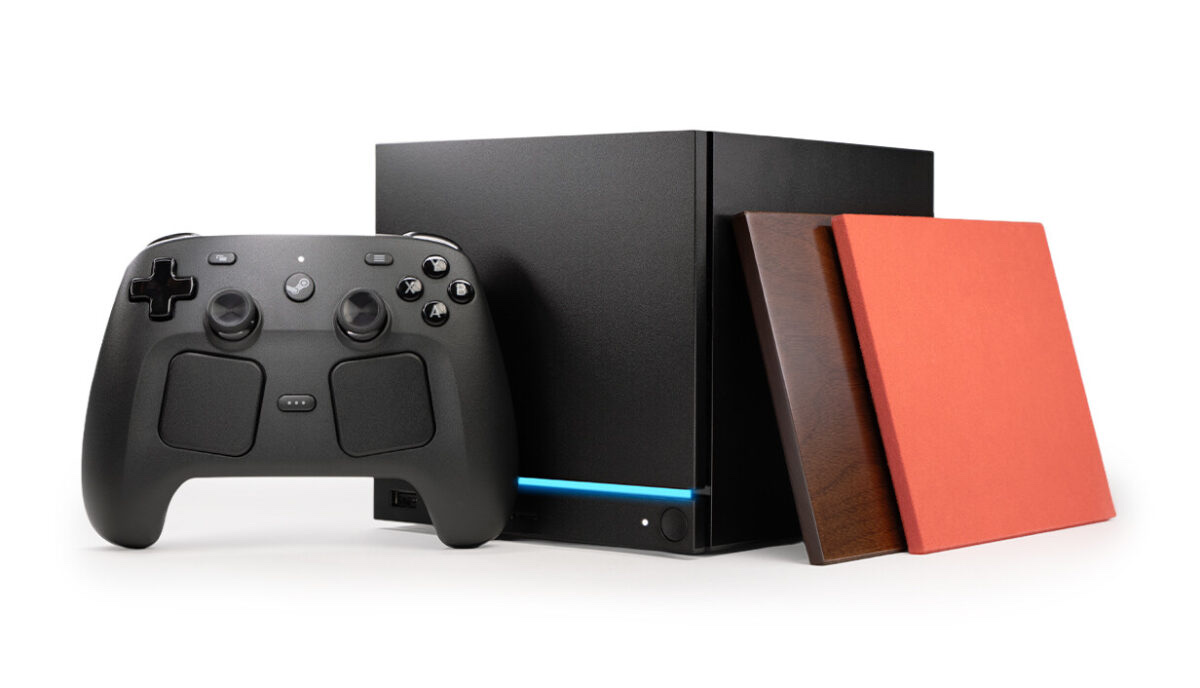
The Steam Machine has arrived, but the console itself is a Steam-store exclusive — almost everything you'd add to it is standard PC gear. These are the SSDs, cards, controllers, cables and extras worth pairing with Valve's little cube.
At a Glance: What to Buy First#
Bigger internal SSD (the big one) : View on Amazon
No-open storage (microSD) : View on Amazon
Fast external drive : View on Amazon
A controller : View on Amazon
The Steam Machine is a SteamOS PC at heart, so it takes ordinary M.2 NVMe drives, microSD cards, USB SSDs and Bluetooth or USB controllers — no proprietary, console-locked parts.
More Room for Games#
The 512GB model fills up after a few modern titles, and the good news is the Steam Machine's internal SSD is user-upgradeable — Valve confirms it. It takes a standard M.2 NVMe drive, so the small stock drive can be swapped for something roomy. The easy compact pick is the SanDisk Optimus GX 7100M (M.2 2230) (View on Amazon); for a full-size M.2 2280 drive, the Samsung 990 Pro 2TB (View on Amazon) is the other route. We go deeper in our best SSDs for the Steam Machine guide.
Storage Without Opening Anything#
Don't want to touch the inside? Drop in a microSD card. The SanDisk Extreme microSDXC (View on Amazon) is the safe pick, and because SteamOS shares card libraries, the same card works in a Steam Deck. For faster external space, the Samsung T7 Shield 2TB (View on Amazon) plugs into the rear USB-C (10Gbps) port and travels well — see our full Samsung T7 Shield review.
A Controller#
Valve's own Steam Controller pairs to the Machine wirelessly, but it's Steam-only — not on Amazon; see our Steam Controller review. If you'd rather use a controller from another platform, the PS5 DualSense controller (View on Amazon) or the Xbox Wireless Controller (View on Amazon) both work great through Steam Input over Bluetooth or USB. Prefer a dedicated PC pad? The 8BitDo Ultimate 2 is another excellent Steam-friendly option.
Get the Picture Right#
For a high-refresh gaming monitor, a VESA-certified DisplayPort 1.4 cable (View on Amazon) drives up to 4K 240Hz cleanly. For a 4K TV, a certified 48Gbps HDMI cable (View on Amazon) gets you 4K 120Hz with HDR.
More Ports#
One USB-C and a couple of fast USB-A ports fill quickly once you add a drive, a headset and a keyboard. A powered hub like the Rosonway 7-port USB hub (View on Amazon) gives you room to breathe — see our best USB-C hubs comparison for more.
Make It Yours#
Just because it's cool: dbrand turned the cube into a Portal-style dbrand Companion Cube case. Pure aesthetics — and great ones.
Pros & Cons#
Pros:
- Almost every accessory is a standard PC part
- Internal SSD, microSD and USB all expand storage — pick your comfort level
- microSD libraries are shared with the Steam Deck, so cards travel between devices
- Works with the controllers you may already own (PS5, Xbox)
- Outputs up to 4K 240Hz (DisplayPort) or 4K 120Hz HDR (HDMI)
Cons:
- The console itself and Valve's Steam Controller aren't sold on Amazon
- No official VESA mount yet; mounting is third-party only
Final Verdict#
Start with storage and a controller; the rest is polish. A bigger drive (or a microSD if you'd rather not open it) ends the storage squeeze, a controller gets you playing, and cables plus a hub are quality-of-life upgrades. The dbrand Companion Cube case is dessert.
For the storage deep-dive, see our best SSDs for the Steam Machine guide, or our pick for the best NVMe SSD for a gaming PC.