

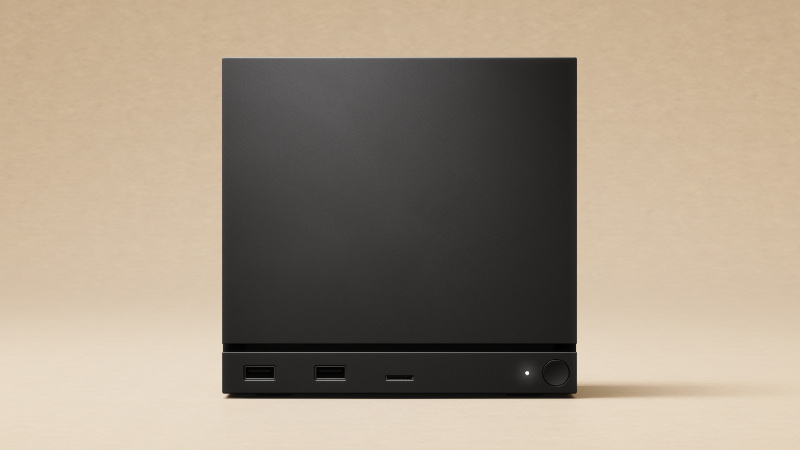
Summary#
The Steam Machine's internal SSD is user-upgradeable, and Valve confirms it, so the 512GB model isn't a dead end. It takes standard M.2 NVMe drives in the compact 2230 or full-size 2280 size, and these are the best ones to buy. You don't need a PS5-style heatsink drive either.
At a Glance#
Best 2230 (simplest swap) : View on Amazon
Best big capacity (2280) : View on Amazon
Best 2TB (2280) : View on Amazon
Also great, Gen4 : View on Amazon
The Machine ships with a 2230 drive and also takes a full-size 2280 with the included standoff, so either size works. Just stick to PCIe 4.0.
Why Upgrade At All#
If you bought the 512GB Steam Machine, you'll feel it fast. A couple of big games and it's full. Unlike a sealed console, the Steam Machine lets you swap the drive for a roomier one, and Valve built the slot so you can get to it. It's a worthwhile, low-fuss upgrade that pays off every time you don't have to juggle installs.
The Best Drives to Buy#
SanDisk Optimus GX 7100M 1TB — best 2230 : View on Amazon is the drive SanDisk names as the successor to the WD_BLACK SN770M: PCIe 4.0, rated up to 7,250 MB/s read, a power-efficient design, and a true like-for-like size for the stock drive.
Lexar NM790 4TB — most space : View on Amazon is the roomiest sensible pick, rated up to 7,400 MB/s read.
Samsung 990 Pro 2TB — best 2TB : View on Amazon pairs top-tier speed with 2TB of room. Buy the version without a heatsink.
SanDisk Optimus GX PRO 850X 2TB — also great : View on Amazon is the drive SanDisk names as the successor to the WD_BLACK SN850X, a Gen4 2280 rated up to 7,300 MB/s read. Get the bare, no-heatsink version. Our WD_BLACK SN850X review covers the earlier model.
How Much Do You Need?#
Coming from 512GB, a 1–2TB drive transforms the machine. Go 4TB only if you keep a big library installed all the time. One honest note: NVMe prices are unusually high in 2026, so check the live price before you commit.
You Don't Need a PS5-Style Drive#
A common mix-up: the PS5 needs an M.2 drive with a tall heatsink, but the Steam Machine doesn't. Buy a plain, bare PCIe 4.0 NVMe. A chunky PS5 heatsink isn't needed and may not even fit. If you also own a PS5, here's our WD_BLACK SN850X PS5 review.
Pros & Cons#
Pros:
- Internal SSD is officially user-upgradeable (Valve confirms it)
- Takes standard PCIe 4.0 NVMe drives
- Accepts both compact 2230 and full-size 2280 (standoff included)
- No proprietary or heatsink-equipped drive required
- Far more space than the 512GB base model
Cons:
- One internal slot, so upgrading means replacing the stock drive, not adding a second
- 2026 NVMe prices are inflated, so check the live price
- If you'd rather never open it, you have to buy the 2TB model up front
Final Verdict#
It's a worthwhile, low-fuss upgrade. Get the SanDisk Optimus GX 7100M (M.2 2230) (View on Amazon) for the simplest 2230 swap, or a full-size 2280 like the Samsung 990 Pro 2TB (View on Amazon) or the Lexar NM790 4TB (View on Amazon) for serious space. Whichever you pick, buy a bare PCIe 4.0 drive. You don't need a PS5 heatsink.
Planning the rest of your setup? Here are the best Steam Machine accessories, and the best NVMe SSD for a gaming PC if you're upgrading a PC too.