

If your eyes ache after long screen sessions, a monitor light bar fixes the real culprit: a dark desk lit only by a glaring display. After comparing the field, our three winners are the BenQ ScreenBar Halo 2 (best overall, asymmetric glare-free light with a wireless dial), the Baseus Monitor Light Bar (best budget, clean light for a fraction of the price), and the Quntis Monitor Light Bar PRO+ (best for curved and gaming setups, auto-dimming with a remote).
Who This Comparison Is For#
This roundup is for anyone whose eyes feel strained, dry, or tired after a day at the desk — and who has figured out the problem is lighting, not the monitor itself.
- Remote workers and students spending six-plus hours a day at a screen in a poorly lit room
- Gamers and creatives who want desk illumination that brightens the keyboard without washing out the display or adding screen glare
- Small-desk owners who can't fit a traditional desk lamp and need light that clamps to the monitor and saves surface space
How We Picked#
We focused on the lighting qualities that actually reduce eye fatigue, then balanced them against price and desk compatibility.
- Glare control first: every pick uses an asymmetric optical design that throws light onto the desk and keyboard, not back at your screen
- Color temperature range: each model adjusts from warm (around 2700-3000K) to cool daylight (around 5700-6500K) so you can match the room and time of day
- High color rendering: we prioritized bars rated CRI 95 or near it, so documents and skin tones look natural rather than washed out
- Space-saving clamp design: all three counterweight-clamp onto the monitor's top edge with no screws, no desk footprint, and USB power
BenQ ScreenBar Halo 2 (Best Overall)#
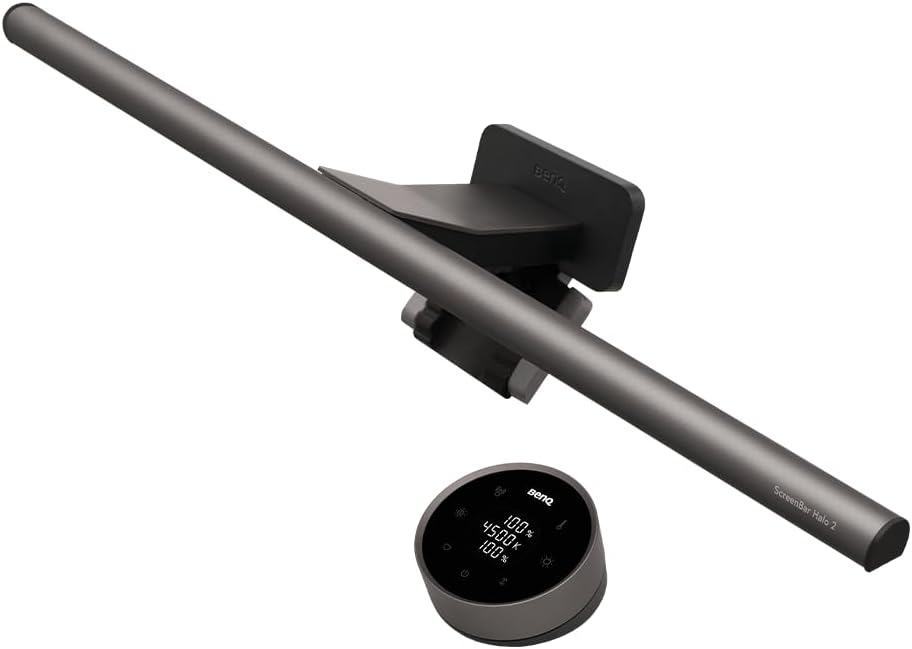
The BenQ ScreenBar Halo 2 is the light bar to beat. It is the premium, most refined option in the category, and the one we recommend if you want to buy once and stop thinking about desk lighting forever. BenQ effectively invented the modern monitor light bar, and the Halo 2 is its most polished version.
What sets it apart is the combination of front lighting and a rear backlight. The asymmetric front optics push a wide, even pool of light down onto your keyboard and desk while a precisely angled cutoff keeps glare off the screen entirely. The rear backlight casts a soft glow on the wall behind the monitor, which lowers the harsh contrast between a bright screen and a dark room — the single biggest cause of evening eye strain. A built-in motion sensor wakes the bar when you sit down.
Control is the other standout. Instead of fumbling for touch buttons hidden on top of the bar, the Halo 2 ships with a wireless desktop dial. One press toggles auto-dimming, which reads ambient room light and adjusts brightness automatically; turning the dial sets brightness or color temperature with no menu diving. If you already own the original ScreenBar, the dial is the clearest sign of how far the line has matured.
Key Specs#
Light Design : Asymmetric front light plus rear backlight (dual illumination)
Color Temperature : Adjustable warm-to-cool, roughly 2700K-6500K
Color Rendering : CRI 95 for natural, accurate color
Controls : Wireless desktop dial, auto-dimming, motion sensor
Monitor Fit : Clamp fits flat and curved monitors (1000R-1800R), 0.17-2.36 inch thick
Power : USB powered (USB-C)
Bottom Line#
If budget is not the deciding factor, the ScreenBar Halo 2 delivers the best glare control, the most convenient controls, and the backlight that genuinely cuts evening eye strain.
Baseus Monitor Light Bar (Best Budget)#
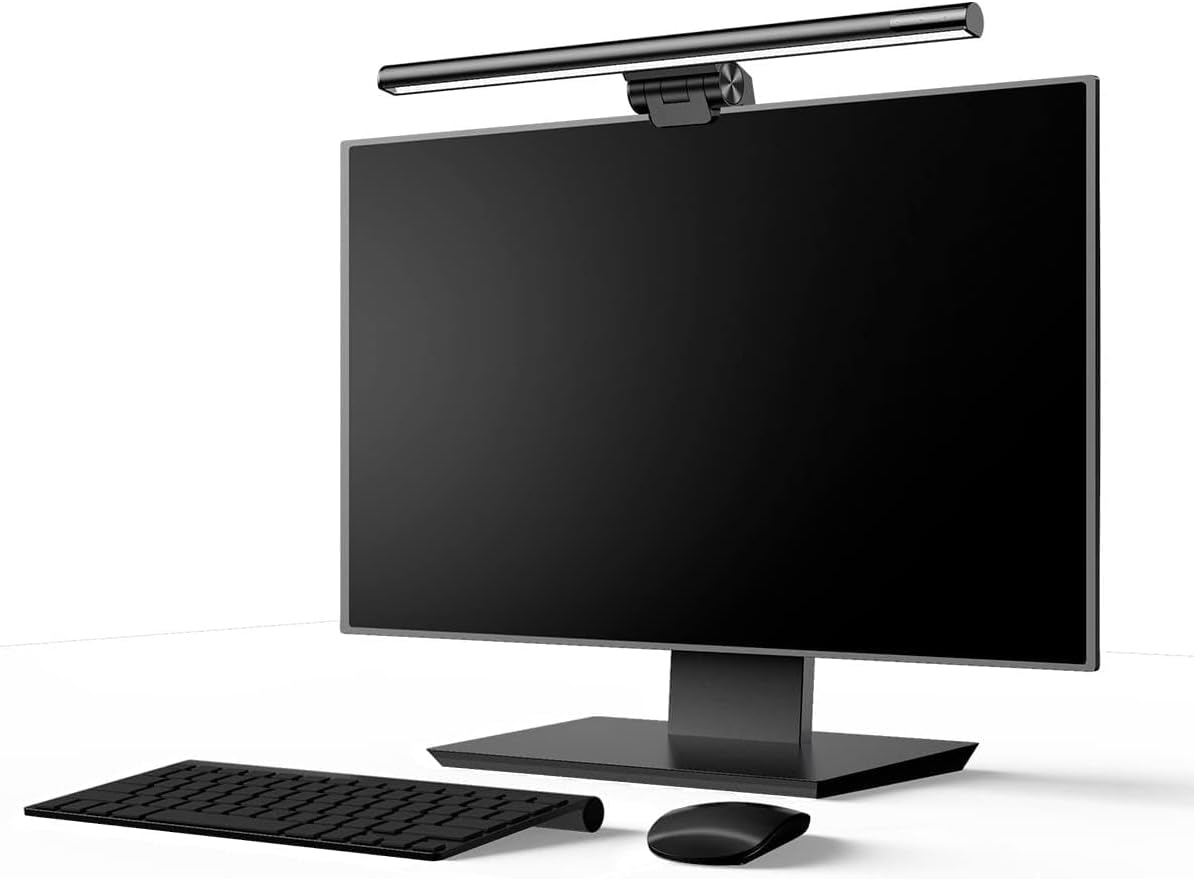
The Baseus Monitor Light Bar (part of the i-wok line) proves you do not need to spend premium money to fix desk lighting. It costs a fraction of the BenQ and covers the fundamentals that matter most: an asymmetric beam that lights your keyboard without bouncing into your eyes, and stepless dimming across the full warm-to-cool range.
The build is honest for the price. A simple touch panel on top of the bar cycles through three light modes and lets you adjust brightness and color temperature. There is no wireless remote and no auto-dimming sensor — you set it by hand — but the light quality itself is genuinely good, with even coverage and no obvious hot spots. For a renter, a student, or anyone outfitting a second desk, it is the easiest win in this comparison.
The trade-off is in the extras, not the core experience. You lose the rear backlight, the motion sensor, and the desktop dial. But the actual pool of light on your desk is clean and comfortable, which is the whole point of buying a light bar in the first place.
Key Specs#
Light Design : Asymmetric front light, no screen glare
Color Temperature : Stepless warm-to-cool adjustment
Light Modes : Three preset modes (reading, mixed, relax)
Controls : Touch panel on the bar (no remote)
Monitor Fit : Counterweight clamp for flat monitors
Power : USB powered
Bottom Line#
The best entry point into the category — clean, glare-free desk lighting at a price that makes the upgrade a no-brainer.
Quntis Monitor Light Bar PRO+ (Best for Curved & Gaming Monitors)#
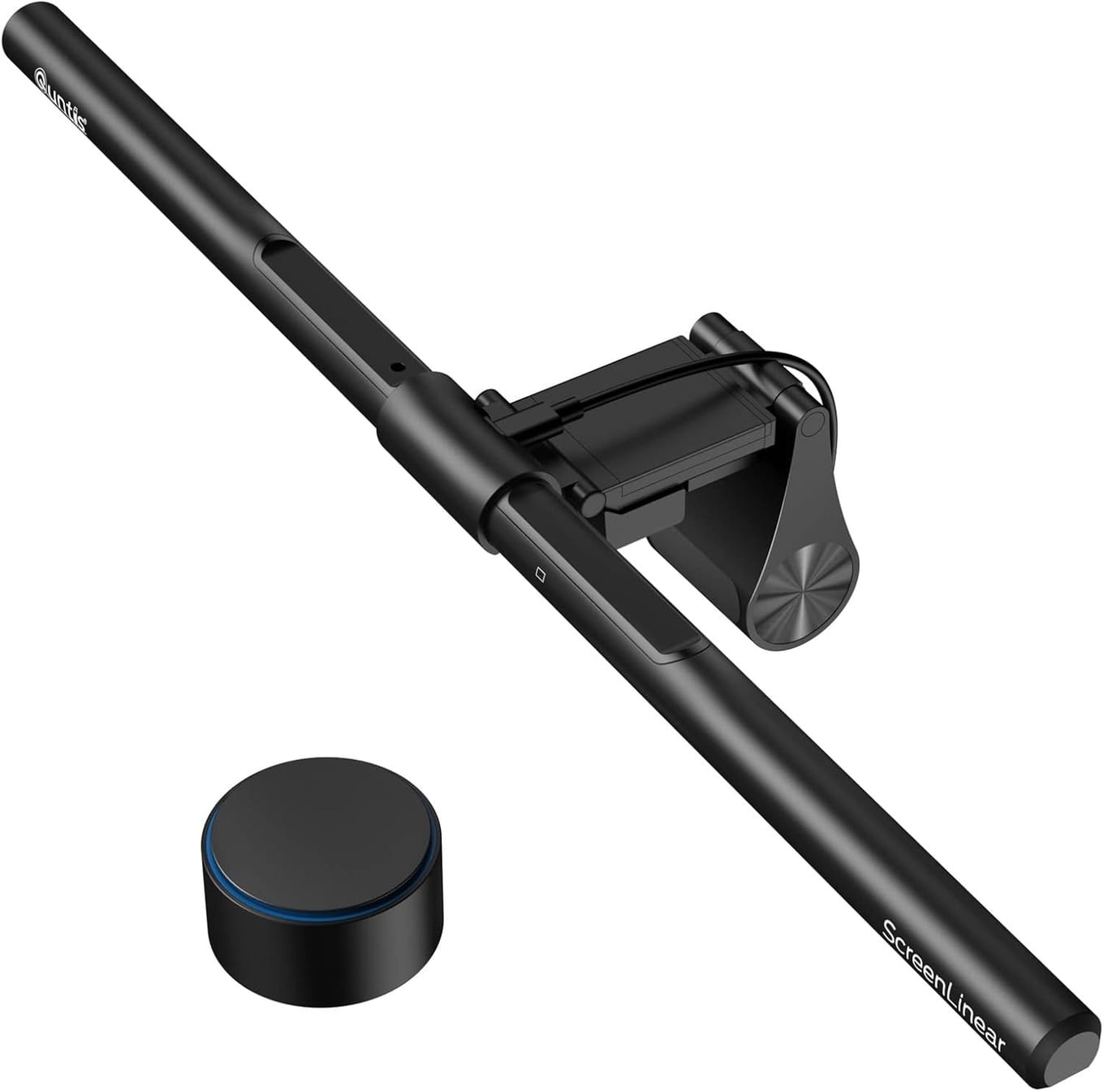
The Quntis Monitor Light Bar PRO+ is the pick for anyone running a curved or ultrawide monitor, or a gaming setup where reaching over the keyboard to fiddle with a touch panel breaks the flow. It slots between the Baseus and the BenQ on price while borrowing the two features people miss most from budget bars: a wireless remote and true auto-dimming.
The clamp is shaped to seat securely on curved monitors, where flat-base bars can rock or sit unevenly. Light quality is strong, with a CRI 95 rating and the same asymmetric anti-glare beam as the pricier options, so text stays crisp and the screen stays glare-free. Auto-dimming uses a built-in sensor to match the light to your room, which is especially useful in a gaming space where ambient lighting shifts as the day goes on.
The remote is the day-to-day highlight. Stepless dimming and color-temperature changes happen from wherever your hand rests, with no leaning forward. It does not include a rear backlight like the BenQ, but for curved-monitor owners who want convenient control without the flagship price, it hits the sweet spot.
Key Specs#
Light Design : Asymmetric front light, no screen glare
Color Temperature : Adjustable 3000K-6500K, stepless dimming
Color Rendering : CRI 95 for accurate color
Controls : Wireless remote plus auto-dimming sensor
Monitor Fit : Clamp shaped for curved and flat monitors
Power : USB powered
Bottom Line#
The smart middle choice — remote control and auto-dimming on a clamp built for curved and ultrawide screens, without paying flagship money.
Which One Should You Buy?#
All three eliminate the core problem — a glaring screen in a dark room — so any of them will reduce eye strain. The right pick comes down to your budget, your monitor, and how much you care about convenience.
If you want the best, buy the BenQ ScreenBar Halo 2. The rear backlight and wireless dial are not gimmicks; the backlight measurably softens the contrast that tires your eyes at night, and the dial makes adjusting light effortless. It is the premium choice and it earns the price.
If you are on a budget, buy the Baseus Monitor Light Bar. It nails the fundamental job — clean, glare-free desk light — for a fraction of the cost. You give up the remote and the backlight, but your eyes will not know the difference where it counts.
If you have a curved or gaming monitor, buy the Quntis PRO+. Its clamp is built for curved screens, and the wireless remote plus auto-dimming give you most of the BenQ's convenience at a friendlier price.
FAQ#
Do monitor light bars actually reduce eye strain?#
Yes. Most desk-related eye strain comes from staring at a bright screen in a dark or dimly lit room — the high contrast forces your eyes to work harder. A monitor light bar raises the ambient light around your screen without adding glare, which reduces that contrast and the fatigue it causes. Models with a rear backlight, like the BenQ ScreenBar Halo 2, address this even more directly.
Why not just use a normal desk lamp?#
A standard desk lamp takes up surface space and usually casts light at an angle that reflects off your screen, creating glare. Monitor light bars clamp to the top of the display, take zero desk space, and use asymmetric optics specifically designed to light the desk while keeping the screen glare-free.
Will a monitor light bar fit my curved monitor?#
It depends on the model. The Quntis PRO+ has a clamp shaped for curved and ultrawide monitors, and the BenQ ScreenBar Halo 2 officially supports curved screens from 1000R to 1800R. Budget bars with a flat counterweight base, like the Baseus, are best suited to flat monitors where they can sit level.
Are these light bars hard to install?#
No. All three use a counterweight clamp that rests on the top edge of your monitor with no screws, tools, or adhesive. You set the bar on the monitor, plug the USB cable into a port or charger, and you are done in under a minute.
What's the difference between auto-dimming and stepless dimming?#
Stepless dimming means you can set any brightness level smoothly rather than jumping between fixed presets — all three bars offer this. Auto-dimming means a built-in sensor reads the room's ambient light and adjusts brightness for you automatically; the BenQ Halo 2 and Quntis PRO+ have it, while the budget Baseus is adjusted by hand.
Do they need batteries or a wall outlet?#
All three are USB powered. You can plug them into a spare USB port on your monitor, laptop dock, or a USB wall charger. The wireless remotes and dials use a small coin or AAA battery, but the light bar itself draws power over USB.