

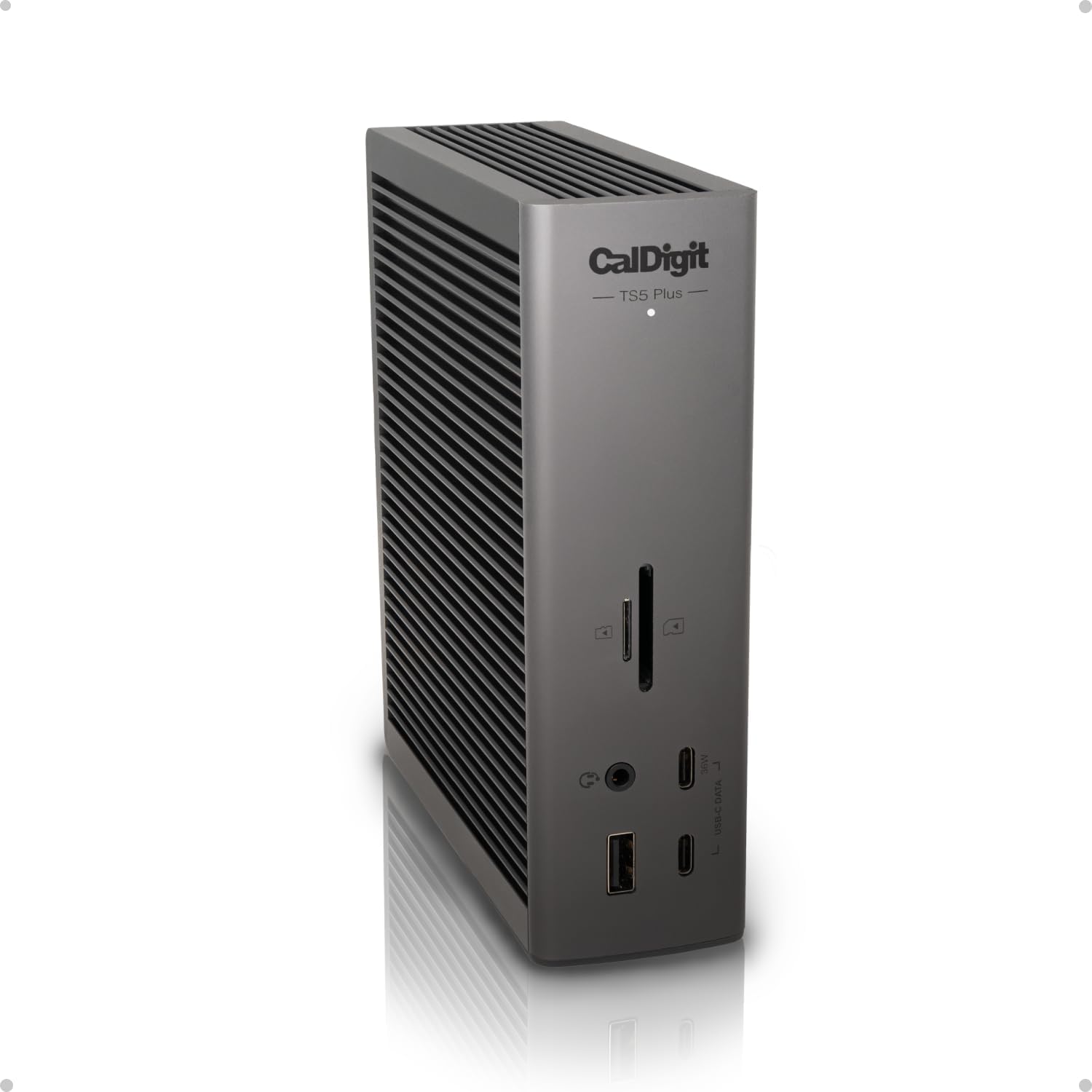
Best Thunderbolt 5 dock for most Mac users: the CalDigit TS5 Plus, with 20 ports and true single-cable coverage. The Kensington SD5000T5 is the value pick that still hits 140W charging, and the OWC 11-Port Thunderbolt 5 Dock is best for flexible, expandable setups.
Who this comparison is for#
Thunderbolt 5 landed on Macs with the M4 Pro and M4 Max generation, and these three docks are the first wave built to feed that 80Gb/s (up to 120Gb/s) pipe. This roundup is for you if:
- You run a desktop-class Mac setup — a MacBook Pro or Mac Studio that closes into one cable for power, displays, networking, and storage.
- You already push a Thunderbolt 5 or Thunderbolt 4 Mac and want a dock that won't bottleneck fast external SSDs or high-refresh monitors.
- You want one accessory that lasts several machine upgrades, since Thunderbolt 5 is backward compatible with Thunderbolt 4, USB4, and USB-C.
A quick reality check before you spend: Thunderbolt 5 is a genuine step up, but it only pays off if you actually use the bandwidth. The people who feel the difference are the ones moving large files across fast external SSDs, running RAID storage, or driving high-resolution, high-refresh displays. If that's you, one of these docks turns a laptop into a full workstation with a single cable. If your daily needs are lighter, read the last FAQ before deciding — a cheaper hub may be the smarter buy.
How we picked#
We compared the shipping Thunderbolt 5 docks that are actually available on Amazon right now, and judged them on the things that matter once the novelty wears off:
- Real single-cable coverage — enough downstream ports that your peripherals, drives, and monitors all land on one dock.
- Host charging headroom — all three deliver up to 140W, enough to keep a 16-inch MacBook Pro topped up under load.
- Display capability on Mac specifically — Apple's display limits differ from Windows, so we looked at what each dock actually drives on macOS.
- Reliability signals — established dock brands with a track record of firmware support and Mac compatibility, each vetted against hundreds of buyer reviews.
- Value for the role — best all-rounder, cheapest credible option, and the most flexible layout, rather than one "winner" for everyone.
CalDigit TS5 Plus — Best Overall#
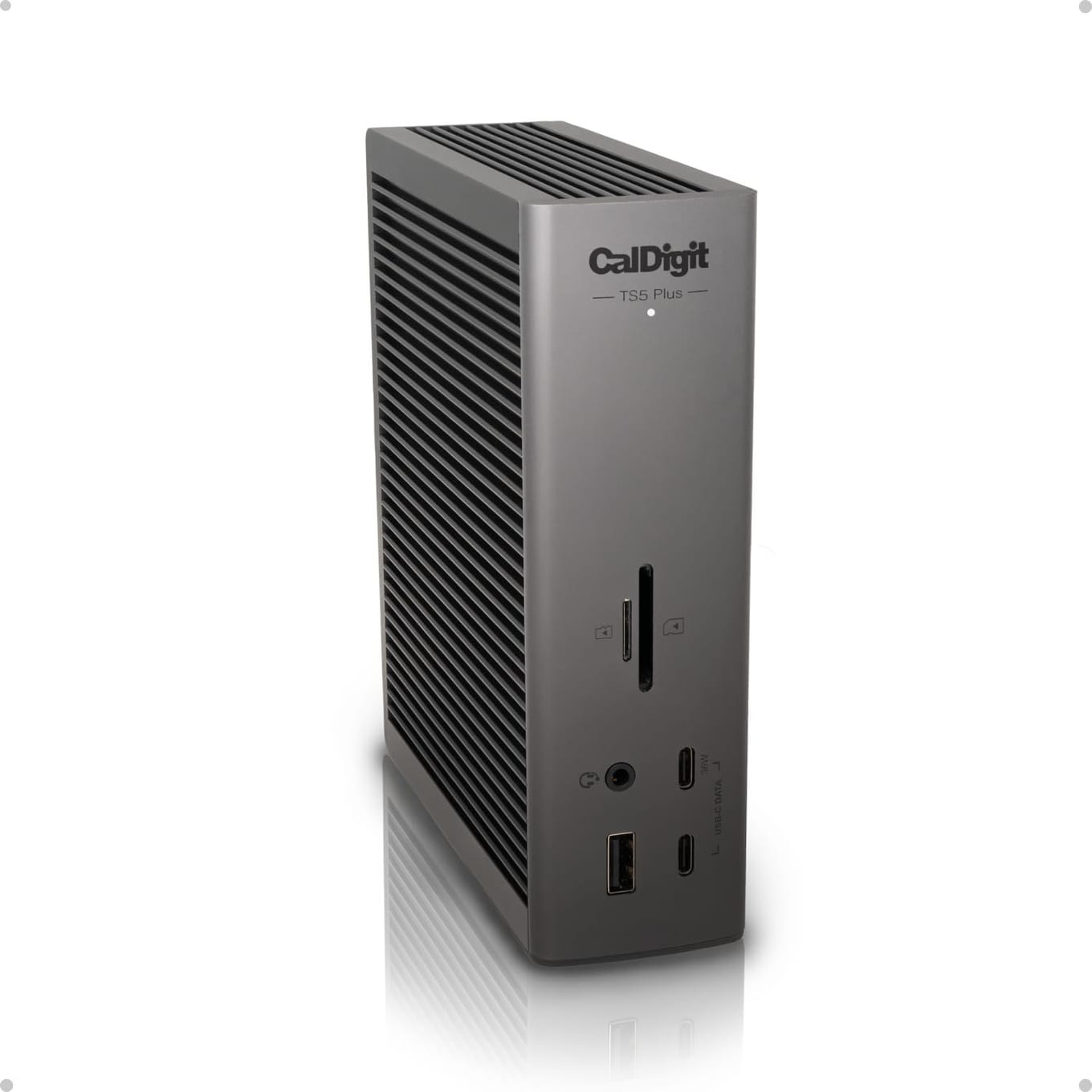
The CalDigit TS5 Plus is the dock to buy if you want to plug in everything and never think about it again. It carries 20 ports — the most of any dock here — spread across three Thunderbolt 5 connections, five USB-C and five USB-A ports at 10Gb/s each, a native DisplayPort 2.1 output, and full-size plus microSD UHS-II card readers. For a photographer or video editor who lives in card readers and fast drives, that port count is the whole argument.
It's also the only dock in this group with 10 Gigabit Ethernet, so if you back up to a NAS or work off a 10GbE network, the TS5 Plus is in a class of its own. Two independent USB controllers keep bandwidth-hungry accessories from fighting each other, and the host port pushes up to 140W — enough to charge a 16-inch MacBook Pro while it drives displays and storage.
CalDigit is the brand Mac users have trusted through several Thunderbolt generations, and the TS5 Plus is the flagship of that line. It costs the most here, and it's the largest, but you're paying for genuine no-compromise expansion.
Picture a real desk: your MacBook Pro connects with one cable, two monitors run off the DisplayPort output and a downstream Thunderbolt 5 port, a fast external SSD array sits on the second Thunderbolt port, your keyboard and mouse and audio interface fill the USB-A row, a CFexpress-style card reader workflow runs through the built-in slots, and a 10GbE cable feeds your NAS — all at once, none of it fighting for bandwidth. That's the scenario the TS5 Plus is built for, and it's why it earns the "buy once" label for demanding Mac setups.
Key Specs#
Thunderbolt 5 ports : 3 total (1 host up to 120Gb/s, 2 downstream at 80Gb/s each)
USB ports : 5x USB-C 10Gb/s, 5x USB-A 10Gb/s
Video output : Native DisplayPort 2.1
Ethernet : 10 Gigabit Ethernet
Card readers : SD 4.0 UHS-II and microSD 4.0 UHS-II
Host charging : Up to 140W; downstream Thunderbolt 5 and front USB-C up to 36W
Display support (Mac) : Up to dual 8K at 60Hz or dual 4K at 240Hz on supported Macs
Total ports : 20
Size / weight : 6.10 x 1.85 x 5.03 in, 1.98 lb
Bottom line#
If you want the most complete, longest-lived Mac dock and the port count to match, the TS5 Plus is the clear pick.
Kensington SD5000T5 — Best Budget#
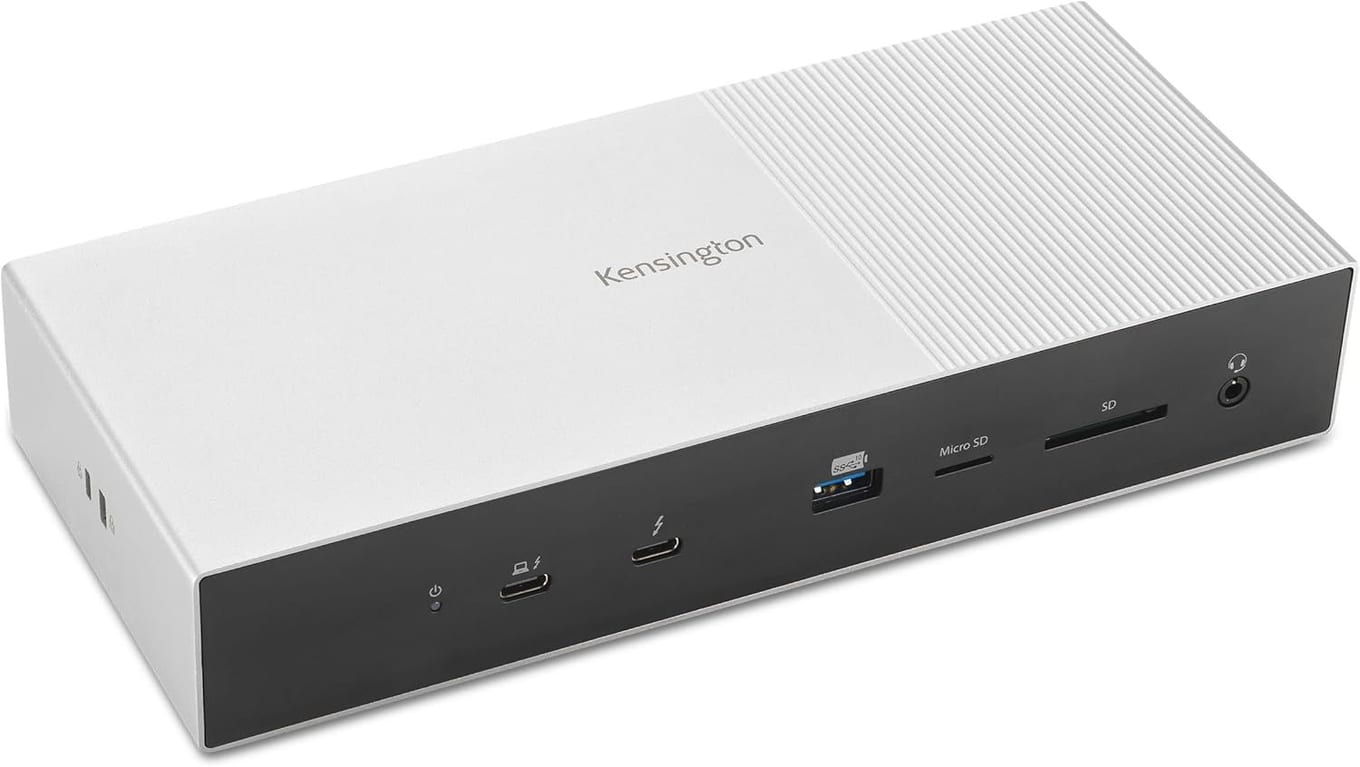
The Kensington SD5000T5 is the entry point into Thunderbolt 5 that doesn't feel like a downgrade. It was one of the first Intel-certified Thunderbolt 5 docks to ship, and it keeps the specs that actually matter: up to 140W host charging, 80Gb/s data with Bandwidth Boost pushing up to 120Gb/s for demanding displays, and four Thunderbolt 5 ports in total (one host, three downstream).
The trade-off versus the CalDigit is breadth. You get three USB-A 10Gbps ports rather than a wall of USB, 2.5Gb Ethernet instead of 10GbE, and a single combo audio jack. But dual SD and microSD readers are still on board, and on M-series Pro/Max Macs the dock drives dual 6K displays at 60Hz — plenty for a two-monitor creative desk (base M1/M2 machines are limited by Apple silicon to a single external display).
Kensington is a known quantity in corporate IT docking, which shows up as tidy firmware and broad laptop compatibility (it works across MacBooks from the M1 generation onward and Windows Thunderbolt 5 machines). For most people who just want fast, reliable single-cable docking without paying for 10GbE and twenty ports, this is the sensible buy.
Its slim horizontal form factor is worth calling out too. Where the CalDigit stands tall, the SD5000T5 lies flat and can tuck under a monitor stand or sit at the back of the desk out of sight. If your goal is a clean two-monitor workspace with your laptop charging, a webcam and headset plugged in, and a portable SSD for backups — the everyday hybrid-work setup — this dock covers it without the bulk or the premium of a flagship.
Key Specs#
Thunderbolt 5 ports : 4 total (1 host, 3 downstream)
USB ports : 3x USB-A 3.2 Gen2 (10Gbps)
Ethernet : 2.5 Gigabit Ethernet
Card readers : SD and microSD
Audio : Combo 3.5mm jack
Host charging : Up to 140W (one Thunderbolt 5 port to 60W, two to 15W each)
Data speed : Up to 80Gbps, up to 120Gbps with Bandwidth Boost
Display support (Mac) : Dual 6K at 60Hz
Bottom line#
The cheapest credible Thunderbolt 5 dock — you keep 140W charging and full TB5 speed, and give up only the extra ports and 10GbE.
OWC 11-Port Thunderbolt 5 Dock — Best for expandable setups#
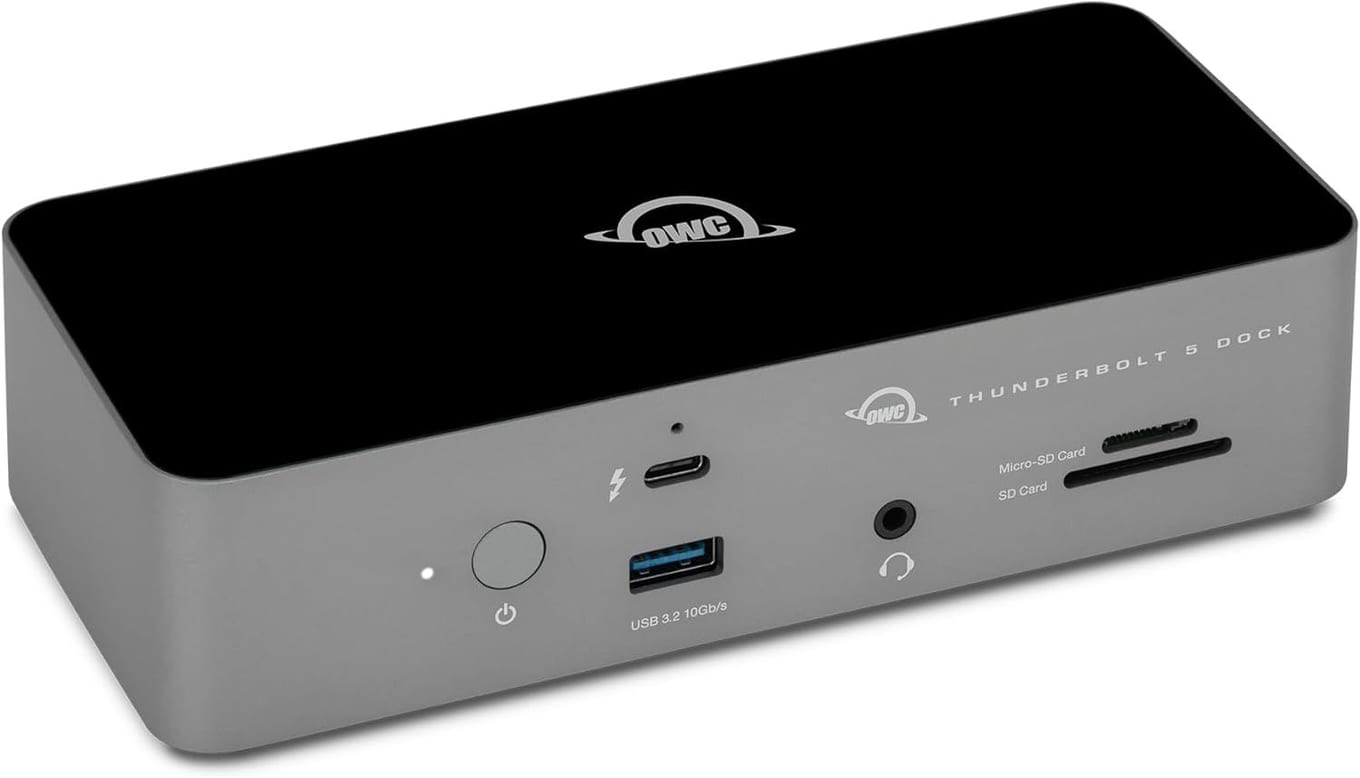
The OWC 11-Port Thunderbolt 5 Dock is the pick for people who like to reconfigure their setup. Rather than dedicating a port to video, OWC gives you three flexible Thunderbolt 5 ports and lets you decide how to use them — chain external SSDs, hang a second monitor off a Thunderbolt-to-DisplayPort adapter, or feed a Thunderbolt storage array. If your desk changes shape often, that flexibility is worth more than a fixed layout.
The rest of the sheet is well judged for a compact dock: three USB-A ports (two at 10Gb/s, one at 5Gb/s), SD 4.0 UHS-II and microSD readers, a 3.5mm audio in/out jack, 2.5Gb Ethernet, and up to 140W host charging. Bandwidth is the full Thunderbolt 5 story — 80Gb/s bi-directional with up to 120Gb/s for video.
It runs in a precision aluminum, fanless enclosure, so it stays silent on a desk, and on a Mac it supports dual 6K displays. OWC has deep roots in the Mac storage world, which makes this a natural fit if your dock's main job is feeding fast external drives. It sits between the other two on breadth, and it's the one to get when adaptability beats raw port count.
Consider a mobile creator who docks and undocks daily: today the OWC dock drives a single 6K reference monitor and a Thunderbolt SSD for the current project; next week the same three ports feed a two-drive RAID array and a second display for a bigger edit. Because none of the Thunderbolt ports is locked to a fixed job, you re-route rather than run out. Add the fanless design and the compact footprint, and it's the dock that adapts to your desk instead of forcing your desk to adapt to it.
Key Specs#
Thunderbolt 5 ports : 4 total (1 host, 3 flexible downstream)
USB ports : 3x USB-A (2 at 10Gb/s, 1 at 5Gb/s)
Ethernet : 2.5 Gigabit Ethernet
Card readers : SD 4.0 UHS-II and microSD
Audio : 3.5mm in/out jack
Host charging : Up to 140W
Data speed : Up to 80Gb/s bi-directional, up to 120Gb/s video
Display support (Mac) : Dual 6K displays
Total ports : 11
Bottom line#
Best when you want to decide how each Thunderbolt port is used — a flexible, silent dock that shines feeding external drives.
Which one should you buy?#
All three are real Thunderbolt 5 docks with the same core speed and 140W charging, so the decision comes down to how much you plug in and how you like to work.
Before you buy, check two things about your specific Mac. First, confirm whether it actually has Thunderbolt 5 — that arrived with the M4 Pro and M4 Max chips, while base M4, M3, and earlier Macs use Thunderbolt 4 or Thunderbolt 3. Any of these docks still works on those machines, just at the host's slower ceiling, so there's no harm in buying ahead of your next upgrade. Second, check your Mac's external display limit; Apple's silicon caps how many monitors a given model drives regardless of how many video outputs the dock exposes. Getting those two facts straight up front prevents the most common "why won't my second monitor turn on" surprise.
If you want the most ports and the longest-lived dock, get the CalDigit TS5 Plus. It's the only one here with 10GbE and DisplayPort 2.1, and its twenty ports mean you'll never run out of room. It's the safe "buy once" choice for a serious Mac desk.
If you're watching the budget, the Kensington SD5000T5 is the pick. You keep full Thunderbolt 5 speed and 140W charging, drive dual 6K on a Mac, and only sacrifice the extra USB ports and the 10GbE jack — things many people never use.
If your setup changes often or revolves around fast external storage, choose the OWC 11-Port Thunderbolt 5 Dock. Its flexible Thunderbolt ports and silent fanless design make it the most adaptable of the three.
Not sure you need Thunderbolt 5 at all? If your Mac is pre-M4 or you mostly connect a monitor and a couple of accessories, a simpler hub may serve you better — see our best USB-C hubs for MacBook setups roundup before spending on a full Thunderbolt 5 dock.
FAQ#
Do I need a Thunderbolt 5 Mac to use these docks?#
No. All three are backward compatible with Thunderbolt 4, USB4, and USB-C hosts. On an older Mac they'll run at that host's maximum speed (for example 40Gb/s on Thunderbolt 4) and still work as a full dock — you just won't see Thunderbolt 5's 80Gb/s until you connect a Thunderbolt 5 machine like an M4 Pro or M4 Max Mac.
Will one of these charge my 16-inch MacBook Pro?#
Yes. Every dock here delivers up to 140W of host charging, which is enough to power and charge a 16-inch MacBook Pro while it also drives displays, storage, and peripherals over the single Thunderbolt cable.
How many external monitors can I run on a Mac?#
It depends on the dock and your specific Mac. On macOS the CalDigit TS5 Plus supports up to dual 8K at 60Hz or dual 4K at 240Hz, while the Kensington SD5000T5 and OWC dock each support dual 6K displays at 60Hz. Apple's silicon also caps how many external displays a given Mac can drive, so check your model's display limit before buying.
What's the difference between Thunderbolt 5 and Thunderbolt 4?#
Thunderbolt 5 roughly doubles bandwidth to 80Gb/s bi-directional, with a Bandwidth Boost mode that pushes up to 120Gb/s for demanding displays, versus 40Gb/s on Thunderbolt 4. It also raises the standard for power delivery. For most Mac users the practical benefits are faster external SSD arrays and headroom for high-resolution, high-refresh monitors.
Which dock is best for photo and video editors?#
The CalDigit TS5 Plus. Its 10 Gigabit Ethernet, DisplayPort 2.1 output, dual card readers, and twenty ports make it the strongest fit for card-heavy, storage-heavy creative workflows. The OWC dock is a good second choice if your priority is chaining fast external drives.
Are Thunderbolt 5 docks worth it over a cheaper USB-C hub?#
If you have a Thunderbolt 5 Mac and rely on fast external storage or multiple high-resolution monitors, yes — the extra bandwidth and 140W charging are real. If you only connect a single display and a few accessories, a USB-C hub is cheaper and enough. Match the dock to the workload rather than buying the highest spec by default.