

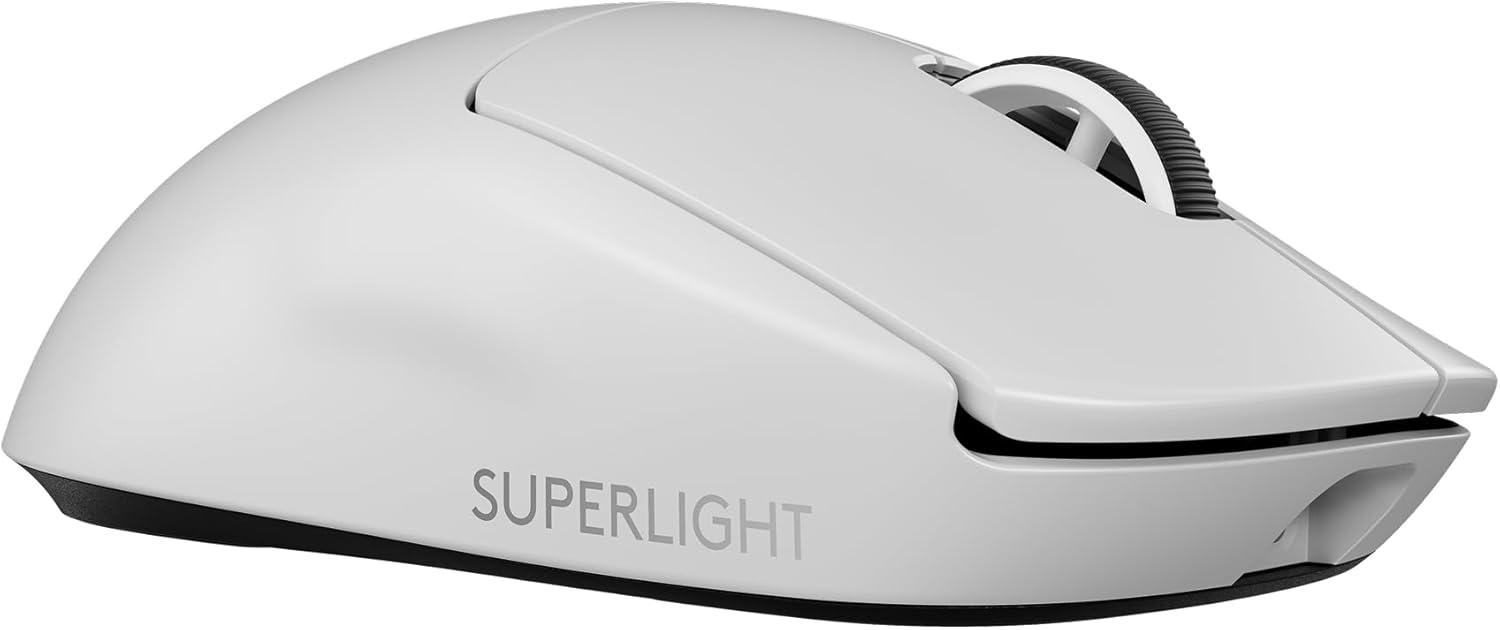
For FPS players, the best overall wireless gaming mouse is the Logitech G PRO X Superlight 2 (60g, ultra-consistent tracking), the best budget pick is the Logitech G305 Lightspeed (reliable LIGHTSPEED wireless for under $50), and the best ergonomic choice is the Razer DeathAdder V3 Pro (63g, sculpted right-hand shell).
A wireless mouse used to be a compromise for serious shooter players. That is no longer true. Modern 2.4GHz protocols have closed the latency gap so completely that the top mice on every esports stage are now cordless. The harder question today is not "wired or wireless" but which shape, which weight, and how much to spend. This comparison answers that for three clearly different buyers.
Who this comparison is for#
This roundup is built for shooter players who care about flick accuracy, low click latency, and a cable that never tugs mid-fight. You are in the right place if you match any of these:
- Competitive FPS players chasing lighter weight and faster, more consistent sensor tracking for ranked play in Valorant, CS2, Apex, or Overwatch.
- Upgraders from a wired mouse who want true low-latency wireless without the drag of a cord across the desk or a bungee to manage.
- Budget-minded gamers who want a dependable wireless shooter mouse without paying flagship money for features they will not use.
If you mostly play MMOs and want a wall of thumb buttons, or you need a giant ergonomic productivity mouse, this is not your list. These are lean, fast, aim-first tools.
How we picked#
We focused on the things that actually move your aim in a firefight, then sorted picks by price and grip style:
- Weight under 65g where possible — lighter mice reduce fatigue and make rapid flicks and micro-corrections easier over long sessions. Two of our three picks sit around 60g.
- Low-latency wireless — only mice using proven 2.4GHz protocols (Logitech LIGHTSPEED, Razer HyperSpeed) made the list; no laggy Bluetooth-only options.
- Sensor consistency — flagship-grade optical sensors that track 1:1 without smoothing, acceleration, or spin-outs on fast swipes at low DPI.
- Switch durability — optical or hybrid switches rated for tens of millions of clicks, so the mouse outlasts several competitive seasons.
- Reviews and reliability — each pick is vetted against hundreds to thousands of owner reviews, not spec sheets alone.
We deliberately spread the three picks across price and grip so that almost any FPS player finds a clear match rather than three near-identical mice.
What makes a wireless mouse good for FPS#
If you are new to this category, a few fundamentals explain why these three rise above the dozens of "gaming" mice on Amazon. Understanding them also helps you judge any future upgrade.
Weight and shape come first#
The single biggest felt difference between a budget mouse and a flagship is mass. A 60g mouse lets you flick across the pad with a relaxed hand, while a 100g mouse asks for more effort on every correction. But weight only helps if the shape fits your grip. Fingertip and claw grippers want a low, neutral shape; palm grippers want a taller, sculpted shell that fills the hand. The right shape at a heavier weight beats the wrong shape at a lighter one.
The sensor should be invisible#
A good FPS sensor does its job without you ever noticing it: no acceleration, no smoothing, no spin-outs when you swipe fast at low DPI. Every mouse here clears that bar. Headline DPI numbers like 30,000 or 44,000 are marketing; you will play at 400 to 800 DPI, where consistency, not ceiling, is what counts.
Latency is about the protocol, not the cord#
Low-latency wireless comes from a dedicated 2.4GHz dongle, not Bluetooth. Logitech LIGHTSPEED and Razer HyperSpeed both deliver click and motion latency on par with a wired connection. Keep the receiver near the mouse, use the desk extender if one is included, and the wireless feels invisible. Optional 8,000Hz polling shaves latency further but mainly rewards high-refresh monitors.
Switches decide how long it lasts#
Optical and hybrid switches are rated for 60 to 90 million clicks and resist the double-click failures that eventually kill cheaper mechanical switches. That durability is why a flagship mouse can outlast several seasons of daily ranked play.
Product 1 — Logitech G PRO X Superlight 2 (Best Overall)#
The Logitech G PRO X Superlight 2 is the mouse most serious FPS players land on, and for good reason. It weighs roughly 60 grams, uses Logitech's LIGHTSPEED wireless, and pairs the HERO 2 sensor with LIGHTFORCE hybrid switches. The result is a featherweight that tracks exactly where you point it, every single time.
It is built for one job: getting your crosshair on target with as little resistance as possible. The shell is a safe, gently symmetrical shape that suits fingertip and claw grips, and the low 60g mass makes repeated flick shots far less tiring than a 90g-plus mouse. After a three-hour ranked session your hand simply feels less worked, and that shows up in the steadiness of your aim late in a match.
The HERO 2 sensor tracks up to 44,000 DPI with no smoothing or acceleration, so fast 180-degree swipes land cleanly without spin-outs or hitches. In practice that means a flick to a wide-peeking enemy ends exactly where your hand stopped, not a few pixels past it. An 8,000Hz polling option drops click and movement latency low enough that the connection feels indistinguishable from a cable, which matters most on high-refresh monitors.
Battery life runs long enough to cover a full week of play between USB-C charges, and the LIGHTFORCE hybrid switches are rated for a long click life that survives heavy ranked grinding. The mouse feet glide smoothly out of the box, and the overall build has the quiet, rattle-free solidity you expect at this tier. There is no RGB and no gimmick weight system, just a focused competition tool.
Key Specs#
Weight : About 60g
Sensor : Logitech HERO 2, up to 44,000 DPI
Wireless : LIGHTSPEED 2.4GHz, up to 8,000Hz polling
Switches : LIGHTFORCE hybrid optical-mechanical
Buttons : 5 programmable
Charging : USB-C
Grip fit : Symmetrical, fingertip and claw friendly
Bottom line#
If you want the most refined, do-everything FPS mouse and don't mind paying flagship money, this is the safe choice.
Product 2 — Logitech G305 Lightspeed (Best Budget)#
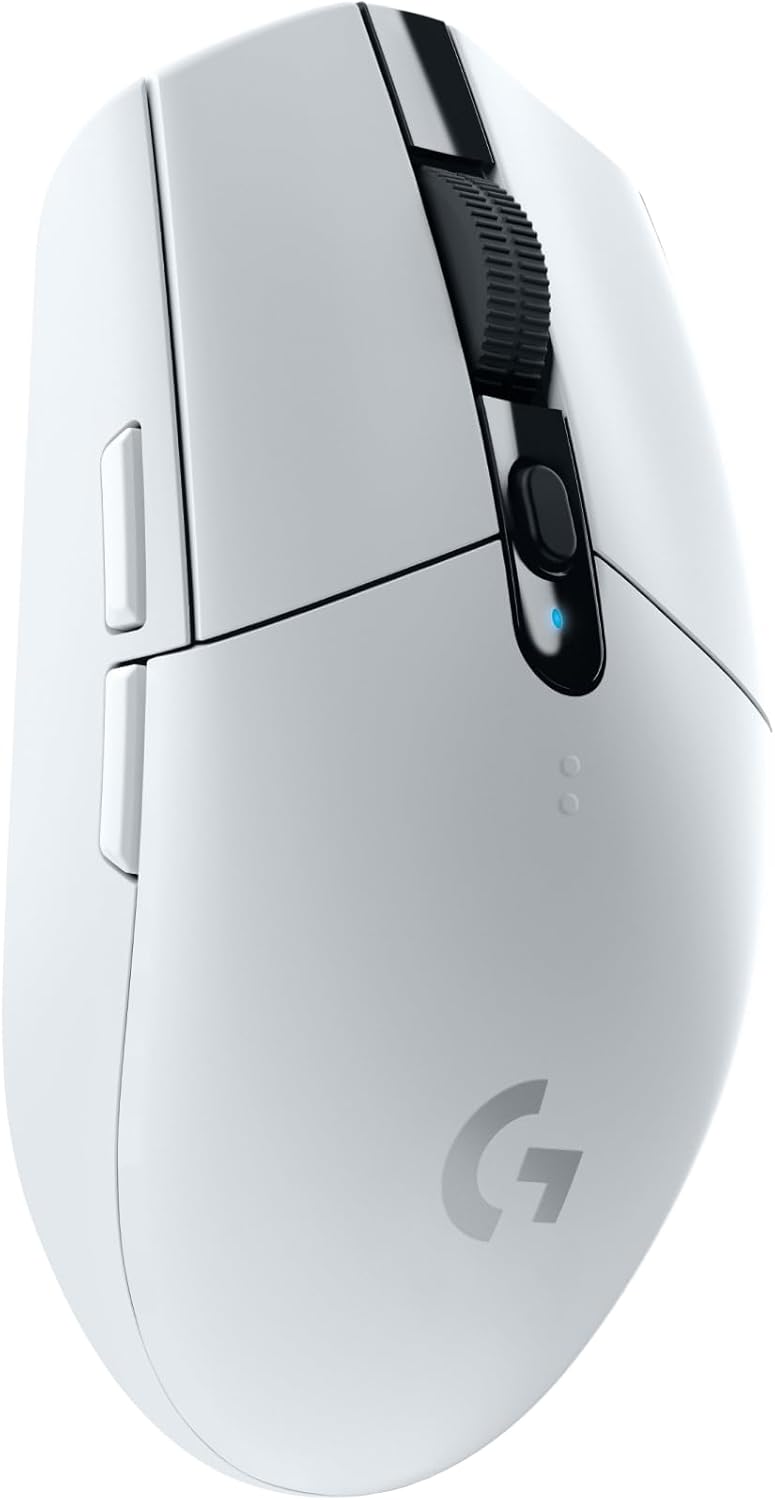
The Logitech G305 Lightspeed proves you don't need to spend flagship money to get genuine low-latency wireless. It runs the same LIGHTSPEED 2.4GHz protocol as Logitech's pro mice, so the connection feels tight and responsive even though it costs a fraction of the price. For a first wireless gaming mouse, nothing else hits this balance of price and pedigree.
It is the obvious pick for newcomers and anyone building a first wireless setup. The HERO sensor tracks up to 12,000 DPI with no acceleration, which is far more than the 400 to 800 DPI most FPS players actually use. The sensor is the limiting factor in cheaper mice, and here it simply is not one; tracking stays clean on fast swipes.
A single AA battery delivers an enormous run time of around 250 hours, so you can go for months between swaps and never think about charging mid-session. At roughly 99 grams it is heavier than our other picks, and that is the honest trade-off: you give up the featherweight feel to buy huge battery life and a wallet-friendly price. For many players, especially those coming from a cheap wired office mouse, 99g still feels light and controlled.
The shape is compact and leans ambidextrous, with two thumb buttons and on-board memory that stores your DPI steps so they travel with the mouse. It is a particularly good fit for small to medium hands and fingertip grippers. For a deeper look at how it performs day to day, read our full Logitech G305 Lightspeed review.
Key Specs#
Weight : About 99g (excluding battery)
Sensor : Logitech HERO, up to 12,000 DPI
Wireless : LIGHTSPEED 2.4GHz
Power : Single AA battery, up to 250 hours
Buttons : 6 programmable, on-board memory
Grip fit : Compact, small-to-medium hands
Bottom line#
The cheapest way to get real Logitech LIGHTSPEED wireless and a no-nonsense gaming sensor.
Product 3 — Razer DeathAdder V3 Pro (Best for Ergonomic Grip)#
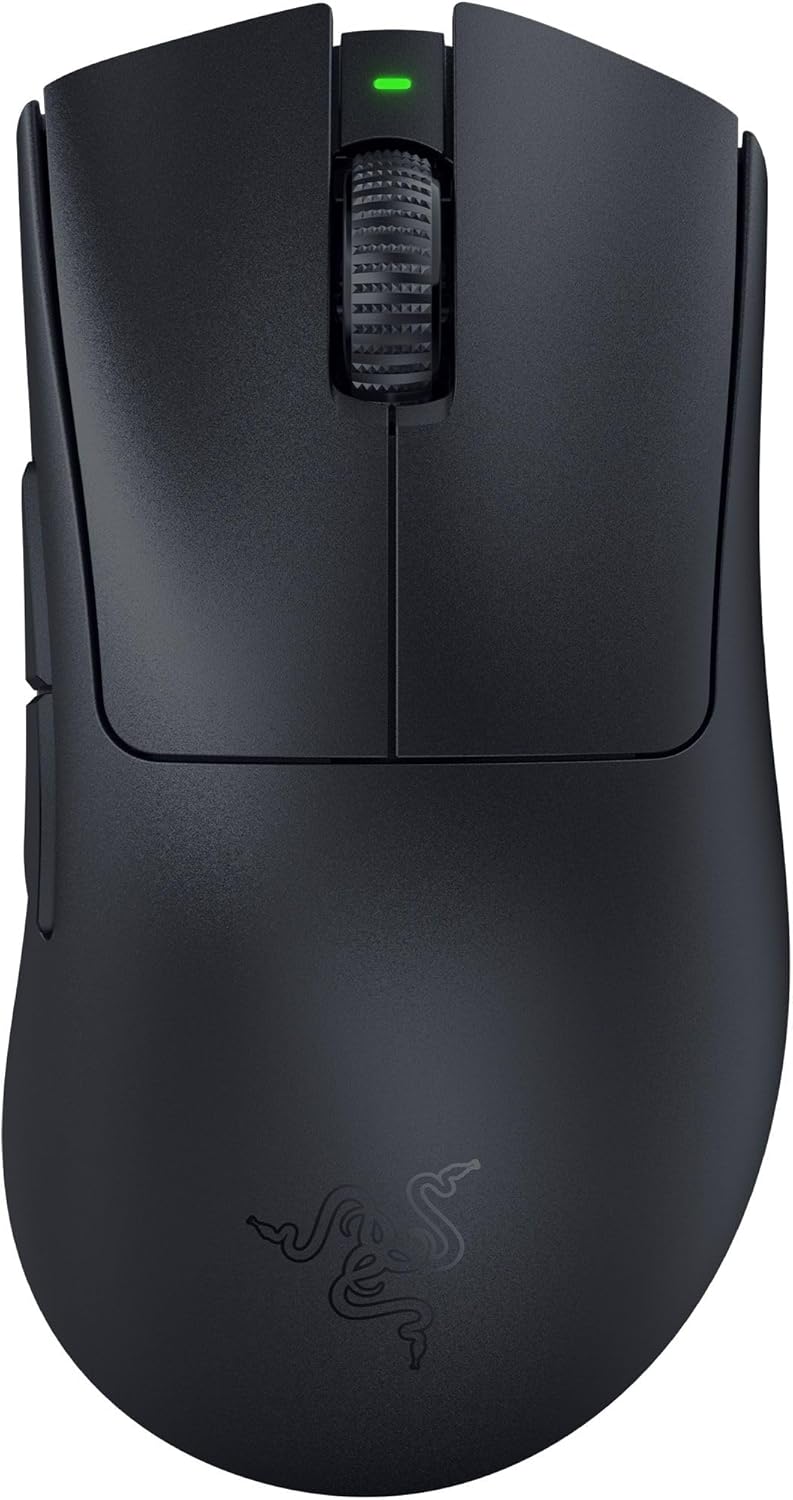
The Razer DeathAdder V3 Pro takes the legendary DeathAdder ergonomic shape and strips it down to 63 grams. If a flat symmetrical mouse leaves your hand cramping after a long session, this sculpted right-handed shell is the answer. It supports your palm naturally while staying light enough for competitive play, a combination that used to be impossible.
It is the pick for palm-grip players and anyone with larger hands who wants flagship performance without forcing a flat shape. The high hump and pronounced thumb rest fill the hand, so you steer with your arm and wrist rather than pinching with your fingers. Over a long night that relaxed grip translates into steadier tracking and far less strain.
The Focus Pro 30K optical sensor tracks cleanly at high speed with no acceleration, and Razer's Gen-3 optical switches actuate near-instantly with a 90-million-click rating. Optical switches also sidestep the double-click issues that eventually plague mechanical switches, so the mouse should stay crisp for years. HyperSpeed wireless keeps latency low, and battery life reaches up to 90 hours per charge over USB-C.
A removable HyperPolling dongle (included with some bundles, sold separately with others) unlocks 8,000Hz polling if you want to push latency even lower on a high-refresh display. Out of the box it ships at a standard polling rate that already feels instant for the vast majority of players, so the upgrade is optional rather than necessary.
Key Specs#
Weight : About 63g
Sensor : Razer Focus Pro 30K optical
Wireless : HyperSpeed 2.4GHz (8KHz with optional dongle)
Switches : Razer Optical Gen-3, 90M click life
Buttons : 5 programmable
Battery : Up to 90 hours, USB-C charging
Grip fit : Ergonomic right-hand, palm and claw
Bottom line#
The best choice if you want a sculpted, palm-friendly shape without giving up flagship tracking.
Which one should you buy?#
All three deliver true low-latency wireless and sensors that exceed what your hand can exploit, so the decision comes down to budget and grip rather than raw performance numbers.
If you want the single best all-round FPS mouse and shape flexibility for fingertip or claw grips, pick the Logitech G PRO X Superlight 2. It is the default competitive choice for a reason: a proven symmetrical shape, the lightest practical weight, and a sensor with no weaknesses. You pay a premium, but you are not left wishing for anything.
If you are on a budget or buying your first wireless gaming mouse, the Logitech G305 Lightspeed gives you the same LIGHTSPEED wireless backbone for far less, with battery life that lasts months. It is heavier and uses an older sensor, but neither holds back a player who is still climbing the ranks. Spend the savings on a good mousepad instead.
If a flat symmetrical mouse cramps your hand, or you have larger palms and prefer to drive with your arm, the Razer DeathAdder V3 Pro is the ergonomic pick that still keeps up in ranked. It matches the Superlight 2 on the things that matter for aim while adding the comfort of a sculpted shell. Right-handed players who palm grip should start here.
One more practical note: shape preference is personal and hard to predict from photos. If you can, hold a similar shape in a store before committing, and pair whichever mouse you choose with a low-friction cloth pad and a low DPI for the most consistent aim.
FAQ#
Is a wireless mouse good enough for competitive FPS?#
Yes. Modern 2.4GHz protocols like Logitech LIGHTSPEED and Razer HyperSpeed have latency low enough that pros use them in tournaments. The old "wired is always faster" rule no longer holds for these flagship-class mice. Just keep the receiver close, ideally with the included extender on your desk, for the most stable signal.
Does mouse weight really matter for aiming?#
For fast-paced shooters, yes. A lighter mouse reduces hand fatigue over long sessions and makes rapid flicks and small corrections easier. Most competitive players now prefer mice under 65 grams, which is why two of our three picks sit around 60g. That said, comfort beats raw weight, so do not force a too-light mouse if it feels unstable in your hand.
What DPI should I use for FPS games?#
Most FPS players use a low DPI between 400 and 800 combined with a moderate in-game sensitivity. All three mice here far exceed that range, so DPI ceiling is never the limiting factor; consistency at low DPI matters more than a high maximum number. Set your DPI once and adjust in-game sensitivity to fine-tune.
Is the Logitech G305 fast enough, or should I spend more?#
The G305 uses the same LIGHTSPEED wireless as Logitech's pro mice, so its connection is tournament-grade. You step up to the Superlight 2 mainly for lower weight, a newer sensor, and 8KHz polling. For most players the G305 is more than fast enough, and the difference is felt mostly in comfort over very long sessions rather than in raw responsiveness.
What is the difference between the DeathAdder V3 Pro and the Superlight 2 shapes?#
The DeathAdder V3 Pro has a sculpted, right-handed ergonomic shell that supports the palm, ideal for larger hands and palm grip. The Superlight 2 is a lighter, symmetrical shape better suited to fingertip and claw grips and usable in either hand. Pick based on how you naturally hold a mouse, not on the spec sheet.
Do I need 8,000Hz polling?#
Not necessarily. Standard 1,000Hz polling already feels instant for the vast majority of players. The jump to 8,000Hz shaves off a tiny amount of latency that mainly benefits high-refresh-rate monitors and elite competitors; it also draws more battery and puts a little more load on your CPU. Treat it as a nice extra, not a deciding factor.