

At a Glance#
Product : Logitech MX Master 3S
Brand : Logitech
Best For : Professionals, designers, and developers who need precise, comfortable all-day mousing across multiple devices
Connectivity : Bluetooth Low Energy + Logi Bolt USB receiver (2.4 GHz)
Buy Now : View on Amazon
Key Highlights:
- 8,000 DPI Darkfield sensor tracks on any surface, including glass at Logitech's stated 4 mm minimum thickness
- Quiet Clicks: 90% less Sound Power Level on left and right click than the MX Master 3, measured at 1 m
- MagSpeed electromagnetic scroll wheel scrolls 1,000 lines per second
- Up to 70 days on a full charge, and three hours of use from a one-minute USB-C charge
- Pairs with up to 3 devices across Windows, macOS, Chrome OS, Linux, iPadOS and Android
Who Should Buy This#
The MX Master 3S hits a sweet spot for knowledge workers who want a mouse that keeps up with their workflow without slowing them down. It delivers ergonomic comfort, multi-device switching, and app-specific customization that basic mice and even most premium competitors lack.
Perfect for:
- Software developers who juggle multiple machines and need precise cursor control across large monitors
- Creative professionals who rely on smooth scrolling through timelines, layers, and long documents
- Remote workers who switch between a laptop and desktop throughout the day and want one mouse for both
- Spreadsheet power users who scroll through thousands of rows and need a wheel that can keep pace
Design & Build Quality#
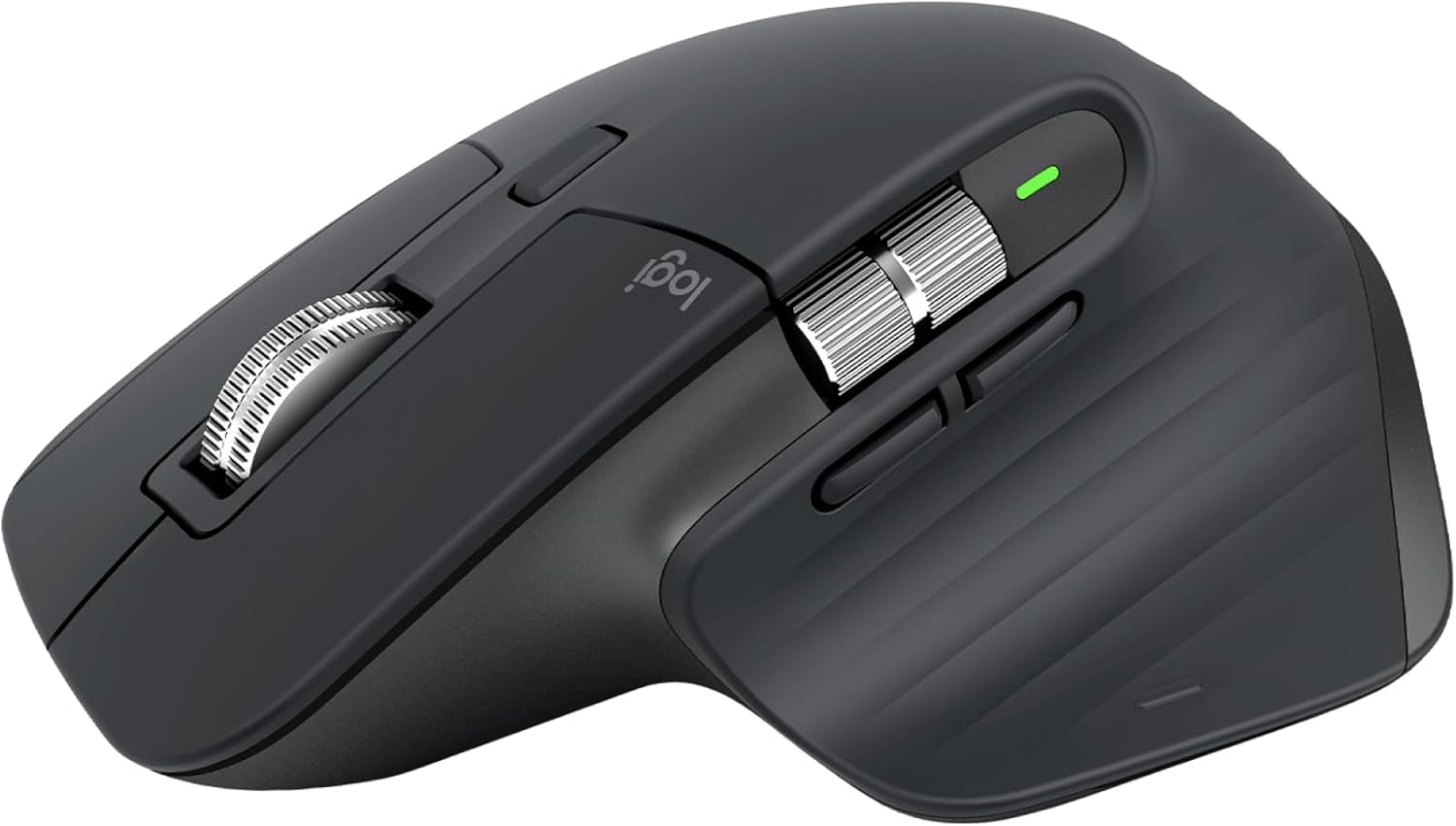
The MX Master 3S keeps the iconic sculpted shape that made the MX Master line famous. The right-hand ergonomic design fills your palm naturally, with a textured thumb rest that prevents fatigue during long sessions. At 141 g it is a substantial mouse — that mass is part of why it sits still under a hand all day, and part of why it is the wrong tool for competitive gaming.
The shell uses a combination of matte-finish plastic and silicone grips. The graphite colorway looks professional on any desk, and the USB-C charging port sits at the front. The listing's first line settles what you get: "Logitech MX Master 3S Standard Edition comes with a Logi Bolt USB receiver (dongle), and a USB-C charging cable (USB-A to USB-C)." A later bullet on the same page says "Logi Bolt USB receiver not included" — that is Logitech's shared boilerplate for the Bluetooth Edition, which is a different SKU; ours is 910-006557, the Standard. Logitech states the plastic parts include certified post-consumer recycled plastic, 27% for Graphite and Black.
Key Features#
8K DPI Darkfield Sensor#
Logitech's spec sheet gives a nominal 1,000 DPI and a range of "200-8000 DPI (can be set in increments of 50 DPI)". More importantly, Darkfield tracking works on virtually any surface, including glass — Logitech's footnote sets the bar at "4 mm minimum glass thickness". You can skip the mousepad entirely and work directly on your desk, a coffee table, or even your laptop lid.
The nominal 1,000 DPI is where most people will leave it for daily work. The headroom up to 8,000 matters for large or multi-monitor setups where you need to cover a lot of screen real estate without lifting the mouse, and the 50 DPI steps mean you can land on a sensitivity rather than pick from presets.
MagSpeed Electromagnetic Scroll Wheel#
This is the feature that separates the MX Master 3S from everything else. The steel scroll wheel uses electromagnetic resistance instead of mechanical ratchets, giving you two modes: precise line-by-line scrolling and free-spinning mode that covers 1,000 lines per second.
The wheel auto-shifts between modes based on how fast you flick it. Slow scrolling feels tactile and controlled. A fast flick sends you flying through a 500-page document in under a second. The horizontal thumb wheel handles side-scrolling in spreadsheets and timelines.
Quiet Clicks#
Logitech's own footnote is specific about what the 90% figure measures: "Compared to MX Master 3, MX Master 3S has 90% less Sound Power Level left and right click, measured at 1m." That is a sound-power comparison on the two main buttons, not a claim about the whole mouse — the MagSpeed wheel is quiet in its own right, which Logitech describes as "nearly silent". It makes a real difference in quiet offices, shared workspaces, and late-night sessions.
Logitech's copy is that Quiet Clicks "deliver satisfying, soft tactile feedback", so the design goal was quieter operation with the click feel kept.
Multi-Device Connectivity#
The MX Master 3S pairs with up to three devices at once — Logitech's line is "Pair with up to 3 devices – Windows, macOS, Chrome OS, Linux, iPadOS, and Android OS" — and moves between them without re-pairing. It supports both Bluetooth Low Energy and the Logi Bolt USB receiver, with a wireless range Logitech rates at 32.8 ft (10 m).
Pair it with Logitech Flow software and you can move the cursor between two computers seamlessly — drag a file from your work laptop and drop it on your personal desktop. It works across macOS and Windows.
App-Specific Customization#
Logitech Options+ software lets you assign custom actions to every button, and those assignments can change depending on which app you are using. Set the thumb button to switch desktops in macOS, then have it toggle layers in Photoshop, and zoom in Premiere Pro — all automatically.
Pre-built profiles exist for popular apps like Chrome, Excel, Zoom, Adobe Creative Suite, and Final Cut Pro. You can also create your own.
Technical Specifications#
Sensor : Darkfield high precision
DPI Range : Nominal 1,000 DPI; 200-8,000 DPI, settable in increments of 50 DPI
Buttons : Logitech's spec reads "7 customizable buttons (Left/Right-click, Back/Forward, App-Switch, Wheel mode-shift, Middle click)", with a gesture button and a thumb wheel listed as their own rows
Scroll Wheels : MagSpeed main wheel with smart-shift, plus a thumb wheel
Connectivity : Bluetooth Low Energy + Logi Bolt USB receiver; wireless range rated 32.8 ft (10 m)
Battery : Rechargeable Li-Po (500 mAh), up to 70 days on a full charge
Charging : USB-C — "three hours of use from a one-minute quick charge"
Weight : 141 g (4.97 oz)
Dimensions : 124.9 x 84.3 x 51 mm (4.9 x 3.3 x 2 in)
Compatibility : Windows 10/11+, macOS 10.15+, iPadOS 14+, Android 8.0+, ChromeOS and Linux. Not compatible with Logitech Unifying receivers
Software : Logi Options+ (free) — Windows and macOS only; on Linux and ChromeOS Logitech supports "device basic functions" without software
Pros & Cons#
Pros:
- MagSpeed electromagnetic wheel scrolls 1,000 lines per second and is precise enough to stop on a pixel
- Darkfield sensor runs 200-8,000 DPI in 50 DPI steps and tracks on glass from Logitech's stated 4 mm minimum thickness
- Quiet Clicks: 90% less Sound Power Level on the left and right click than the MX Master 3, measured at 1 m
- Up to 70 days on a full charge, plus three hours of use from a one-minute USB-C charge
- Pairs with up to three devices across Windows, macOS, Chrome OS, Linux, iPadOS and Android, and moves between them without re-pairing
- Logi Options+ adds per-app button customisation and Flow, which moves the cursor and files between a Windows and a macOS machine
- Sculpted right-hand shell with a separate thumb wheel alongside the main wheel
Cons:
- Sculpted for the right hand only
- At 141 g it is a heavy mouse, and too heavy for competitive gaming
- Logi Options+ is Windows and macOS only; on Linux and ChromeOS Logitech supports only "device basic functions" without software
- Sits at the premium end of the range, well above basic wireless mice
- Only 27% of the plastic in the Graphite and Black shells is certified post-consumer recycled, against 78% on the smaller MX Anywhere 3S
Final Verdict#
Buy it. The MX Master 3S is the most complete productivity mouse you can buy: the MagSpeed wheel scrolls 1,000 lines per second and stops on a pixel, the Darkfield sensor runs 200-8,000 DPI in 50 DPI steps and tracks on glass from 4 mm thick, and Logitech rates it at up to 70 days per charge with three hours of use from a one-minute top-up. If you work across several machines it pays for itself in saved friction.
Our recommendation: If you work across multiple devices, this mouse pays for itself in saved frustration within a week. Grab it here: View on Amazon
Check current availability: View on Amazon