


Picking a wireless mouse for office work is mostly a question of how much desk time you do and how often you travel with it. The Logitech MX Master 4 is the all-rounder for full workdays, the Pebble 2 M350s covers casual or budget setups, and the MX Anywhere 3S is the one that fits a laptop bag without complaints. All three are wireless, all three pair with multiple devices, and all three are built specifically for productivity rather than gaming.
Who this comparison is for#
- Knowledge workers who spend 6+ hours a day clicking, scrolling, and switching between apps
- Hybrid workers who alternate between a home desk and an office or coworking space
- Anyone replacing a generic wireless mouse with something built for sustained office use
- Mac and Windows users who need flow-style multi-device switching
How we picked#
- All three picks are wireless; the two MX mice recharge over USB-C and the Pebble 2 M350s runs on one AA battery
- Judged on everyday productivity features, not gaming specs
- Selected to fill three different price tiers and three different use cases
Logitech MX Master 4 — Best Overall#
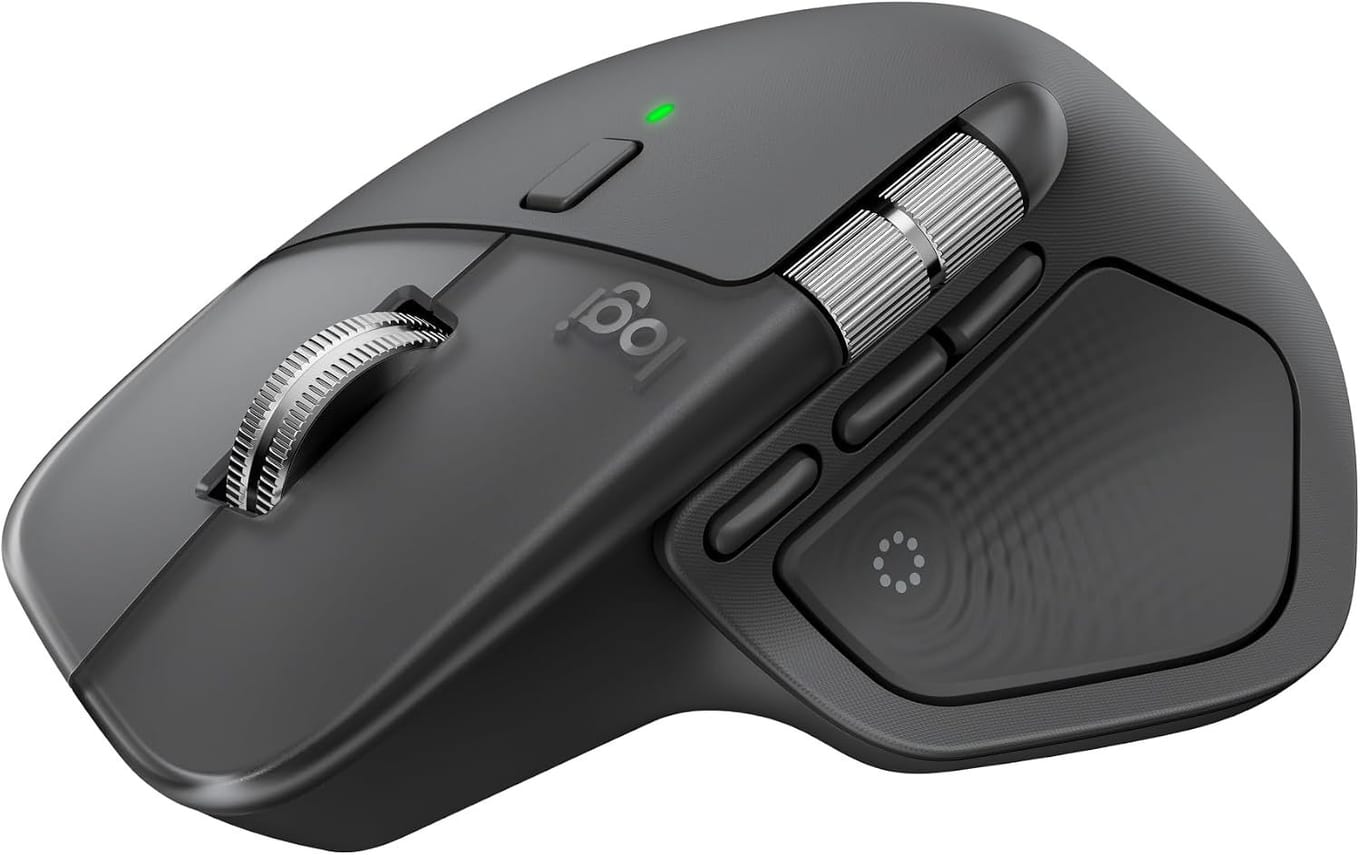
The MX Master 4 is what you buy when the mouse is the tool you touch more than any other piece of hardware all day. Its shape keeps your hand in what Logitech calls a natural posture, the MagSpeed scroll wheel scrolls up to 1,000 lines per second and stops on a pixel, and the 8,000 DPI sensor tracks on virtually any surface, glass included. Quiet Clicks cut the click sound by 90% compared with the original MX Master 3, which matters in shared offices and on video calls.
The thumb wheel is the underrated feature. It scrolls horizontally through wide spreadsheets and timelines without the awkward Shift+scroll combination. New on this generation, the Haptic Sense Panel gives customizable haptic feedback on specific actions, and the Actions Ring puts your favorite tools and shortcuts in an overlay at the cursor; both, like per-app button customization, run through the Logi Options+ app.
Key specs#
Connectivity : Bluetooth Low Energy or the included Logi Bolt USB-C receiver; pairs with up to 3 devices
Sensor : 8,000 DPI, tracks on glass (4 mm or thicker)
Battery : Up to 70 days on a full charge; a 1-minute USB-C quick charge gives 3 hours of use (charging cable not included)
Weight : 150 g
Controls : Customizable buttons, a horizontal thumb wheel and the Haptic Sense Panel
Compatibility : Windows and macOS, with Logi Options+ customization; Linux, ChromeOS, iPadOS and Android without the app
Bottom line: If the mouse is your primary tool for 6+ hours a day, this is the one built for it.
Logitech Pebble Mouse 2 M350s — Best Budget#

The Pebble 2 M350s is the answer when you want a real wireless mouse — not a generic dongle special — without committing to MX-tier money. It is slim, low profile, and ambidextrous, which means it works for both left and right hands and slips into a laptop sleeve flat. The Silent Touch switches are the real selling point at this price: Logitech's own footnote is "Click noise reduced by over 90% compared to Logitech M185. Left click and typing dBA level measured by an independent lab at 1 meter."
It pairs over Bluetooth with up to three devices and switches between them with a button on the underside. Battery life is rated at 24 months on a single AA, which is the kind of number you forget exists until you realize you have never thought about charging it. Tracking caps at 4000 DPI, which is more than enough for office work but obviously below the MX line.
The trade-off is comfort over long sessions. The low profile shape is great for portability but does not support the palm the way a sculpted mouse does. For 1-3 hour stretches and casual use it is fantastic; for 8-hour workdays you will feel it.
Key specs#
Connectivity : Bluetooth Low Energy (no USB receiver in box), 3 paired devices
Sensor : Optical, up to 4000 DPI
Battery : 1x AA battery, up to 24 months of use
Weight : 76 g (including battery)
Buttons : 3 (left, right, scroll wheel click) with silent switches
Compatibility : macOS, Windows, ChromeOS, Linux, iPadOS, Android
Bottom line: The mouse to buy when you need quiet, wireless, multi-device basics — and you do not want to spend MX money to get them.
Logitech MX Anywhere 3S — Best for Travel#
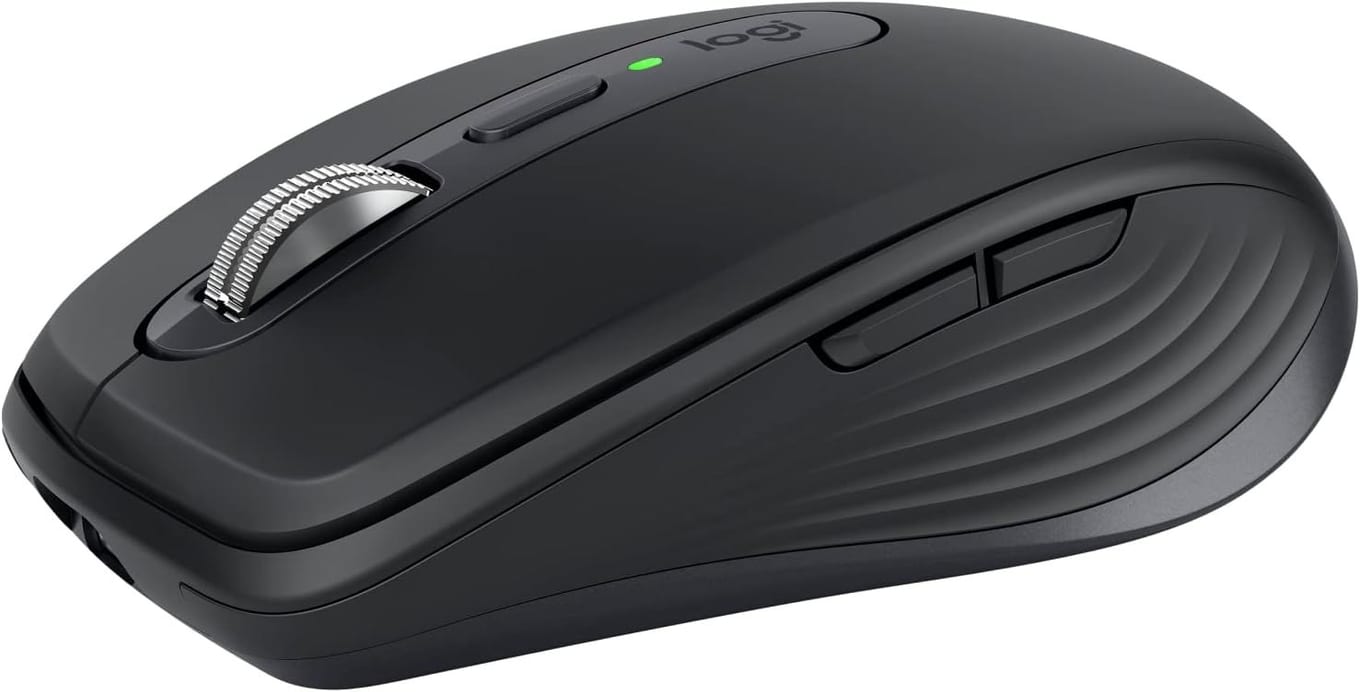
The MX Anywhere 3S takes the MX formula and optimizes it for working out of a bag: a MagSpeed electromagnetic scroll wheel, an 8K Darkfield sensor that tracks on glass, Quiet Clicks and Logi Flow multi-computer support, in a body small enough to forget about until you need it.
The catch is that small mice are not great for marathon desk sessions. The Anywhere 3S is comfortable for a few hours at a stretch, but it lacks the palm support and dedicated thumb wheel of the MX Master 4. That is the deliberate trade — you give up some ergonomics to get something that lives in a laptop sleeve.
For hot-desking, coworking, traveling, or working from cafés, the tracking on any surface is the killer feature. You can use it on a glass conference table or a wood-grain bar top without a mousepad and it just works. Battery lasts roughly 70 days, and a 1-minute USB-C top-up buys 3 hours of use — enough to get you through any flight or working session.
Key specs#
Connectivity : Bluetooth Low Energy, 3 paired devices. Compatible with a Logi Bolt USB receiver, which Logitech does not include with this model
Sensor : Darkfield 8000 DPI, tracks on glass (4 mm or thicker)
Battery : Up to 70 days, USB-C fast charge (1 min = 3 hours of use)
Weight : 99 g
Buttons : 6 customizable
Compatibility : macOS, Windows, Linux, iPadOS, ChromeOS
Bottom line: The MX experience condensed into a travel size — the best choice if you alternate between locations and need one mouse to follow you everywhere.
Which one should you buy?#
If you sit at the same desk for most of the workday and want the lowest-effort productivity setup, get the MX Master 4. Its shape, dual scroll wheels and per-app button mapping are built for long days at one desk.
If you mostly use your laptop's trackpad and just want a real mouse for the occasional spreadsheet session or longer task, get the Pebble 2 M350s. It is quiet, wireless, and the battery effectively never dies. You are not getting MX features, but you are also not paying for them.
If you split your time between two or more locations — home desk, office, coworking, café, hotel room — the MX Anywhere 3S is the right pick. You sacrifice a little ergonomic comfort versus the MX Master 4, but you keep an 8K sensor that tracks on glass and a MagSpeed scroll wheel in a body that disappears into a bag.
The honest order, for most office workers: start with the MX Master 4, drop to the Anywhere 3S if you travel a lot, and pick the Pebble 2 M350s if the mouse is a backup rather than a primary tool.
FAQ#
Which of these mice is most ergonomic?#
The MX Master 4, by a wide margin. Its shape keeps the hand in what Logitech calls a natural posture, with a thumb scroll wheel Logitech says reduces hand stress, and that support is what reduces fatigue over long sessions. The Anywhere 3S and Pebble 2 are smaller and flatter, which makes them more portable but less supportive for marathon use. If you have existing wrist pain, look at the ergonomic vertical and trackball options instead — we cover those in our best ergonomic mice roundup.
Do all three work with Mac and Windows?#
Yes. All three pair over Bluetooth with macOS, Windows, ChromeOS, and Linux, and Logi Options+ supports both Mac and Windows for advanced button customization. Both MX mice also support Logi Flow, which lets the cursor move between a Mac and a Windows machine as if they shared one screen.
How many devices can each mouse pair with?#
All three pair with up to three devices and let you switch between them with a button. On the MX Anywhere 3S the channel button sits on the underside, alongside the pairing LEDs Logitech's own setup steps refer to; the MX Master 4 switches with its Easy-Switch button or from the Actions Ring, and the Pebble 2 M350s also switches from underneath.
Is the MX Master 4 worth it over the cheaper options?#
For 6+ hours a day of mouse work, yes — its shape, MagSpeed scroll wheel, and horizontal thumb wheel are built for exactly that kind of day. For 1-3 hours a day or occasional use, the Pebble 2 M350s gives you most of the wireless-and-quiet benefit at a fraction of the cost. The Anywhere 3S splits the difference if you travel.
Are these mice quiet enough for shared offices and video calls?#
All three use quiet click switches, but read the baselines rather than the headline numbers, because Logitech measures each one against a different mouse. The MX Master 4 gets "90% less Sound Power Level left and right click", against the MX Master 3. The Pebble 2 M350s gets "Click noise reduced by over 90% compared to Logitech M185", measured by an independent lab at 1 metre. For the MX Anywhere 3S Logitech claims only "less click noise (than MX Anywhere 3)", with no number at all. In practice, none of the three will be picked up by a typical video-call microphone or annoy a deskmate.
Do they come with a USB receiver?#
Only the MX Master 4. Logitech lists the mouse, a USB-C Bolt receiver and user documentation in its box, and says the charging cable is not included. The MX Anywhere 3S does not: Logitech states "Compatible with Logi Bolt USB receiver only (receiver not included)" on both its product page and the Amazon bullets it supplies, so budget for one separately if your machine's Bluetooth is flaky. The Pebble 2 M350s is Bluetooth-only and does not include a receiver either.