

At a Glance#
The five decisions : Shape and grip fit, the DPI you actually set, how it connects and how fast it polls, what powers it, and what wears out first
The one most people get wrong : Buying on DPI — a 30,000 or 44,000 figure is a ceiling no hand will ever reach
The number you actually use : 400 to 800 DPI, where consistency, not the maximum, is what steadies your aim
The quiet dealbreaker : A shell that fights your grip — no amount of weight saving rescues a mouse that cramps your hand
Key Highlights:
- Grip style and hand size choose the mouse before the gram count ever does
- Headline DPI is a marketing sprint; the range you play at is 400 to 800
- Low latency comes from the 2.4GHz dongle, not from Bluetooth
- The power model — rechargeable versus a single AA — is the one genuinely non-generic choice
- Optical and hybrid switches sidestep the double-click failure that kills cheaper mechanical ones
Who This Is For#
Wireless mouse marketing is built around the two numbers that flatter a spec sheet — peak DPI and polling rate — while the things that decide whether you enjoy the mouse for two years sit lower down or are never printed at all. A modern 2.4GHz connection has closed the latency gap to a cord so completely that the top mice on every esports stage are now cordless, which means the real questions are shape, weight, power and durability, not "wired or wireless."
Especially useful if you are:
- A competitive FPS player chasing lighter weight and cleaner tracking for ranked play, who wants to know which specs actually move your aim
- An upgrader from a wired mouse who wants true low-latency wireless without a cord dragging across the desk
- A budget-minded gamer who does not want to pay flagship money for features you will never exploit
- Anyone unsure which shape fits, because grip and hand size are the hardest thing to judge from a product photo and the easiest to get wrong
If you mostly play MMOs and want a wall of thumb buttons, or you need a large productivity mouse for spreadsheets, this is not your category. These are lean, aim-first tools.
1. Shape Before Weight#
The single biggest felt difference between a budget mouse and a flagship is mass, but weight only helps once the shape fits your hand. The right shape at a slightly heavier weight beats the wrong shape at a lighter one, every time. So the first decision is not a number at all — it is how you hold a mouse.
Three grips cover almost everyone. Fingertip and claw grippers steer with the fingers and want a low, neutral shell that does not fill the palm. Palm grippers rest the whole hand on the mouse and want a taller, sculpted shape that supports it. Hand size layers on top: a compact shell that suits small-to-medium hands under a claw grip can feel cramped for a large-handed palm gripper.
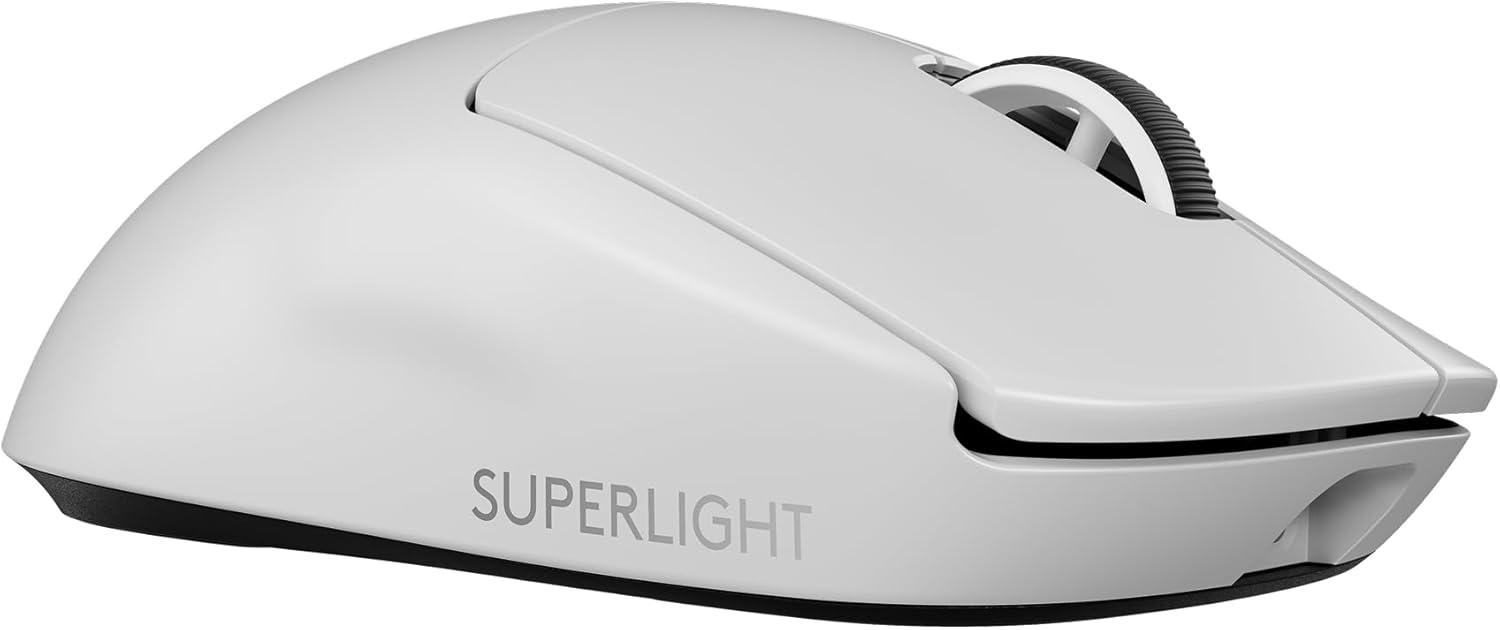
This is exactly where the two flagships here diverge. The Logitech G PRO X Superlight 2 uses a safe, gently symmetrical shape that suits fingertip and claw grips and can be held in either hand — the neutral default that fits the widest range of players. The Razer DeathAdder V3 Pro takes the opposite approach: a sculpted, right-handed shell with a high hump and a pronounced thumb rest that fills the hand, so you steer with your arm and wrist rather than pinching with your fingers. If a flat symmetrical mouse leaves your hand aching after a long session, that ergonomic hump is the fix — but it commits you to right-handed, palm-forward use. The compact G305 leans ambidextrous and sits closest to the Superlight's neutral shape, best for small-to-medium hands.
Our recommendation: picture how your hand actually rests on a mouse right now. If your palm sits flat on the shell, start with the ergonomic hump; if you perch on your fingers, start with the neutral symmetrical shape. Shape preference is personal and hard to predict from photos, so hold a similar shell in a store before committing if you can.
2. DPI Is Marketing; the Number You Actually Set Is 400-800#
A good FPS sensor does its job without you ever noticing it: no acceleration, no smoothing, no spin-outs when you swipe fast at low DPI. Every mouse here clears that bar comfortably. That is precisely why the headline DPI numbers deserve so little of your attention.
The figures printed on the box — up to 44,000 DPI on the Superlight 2's HERO 2 sensor, 30K on the DeathAdder's Focus Pro, 12,000 on the G305's HERO — describe a ceiling, not a setting. Most competitive players actually play between 400 and 800 DPI, combined with a moderate in-game sensitivity, and move the mouse across the pad rather than turning up the sensor. At that range, what matters is that the cursor lands exactly where your hand stopped on a fast flick, not a few pixels past it. Consistency at low DPI is the whole game; the maximum is never the limiting factor.
This is why the G305's older, lower-ceiling sensor is not the handicap the spec sheet implies. Its HERO sensor tracks with zero smoothing, filtering or acceleration at 400-plus IPS, which is far more than anyone playing at 400 to 800 DPI can exploit. The sensor is usually the weak point in a cheap mouse; here it simply is not one. Set your DPI once and fine-tune with in-game sensitivity — chasing a bigger DPI number buys you nothing.
Our recommendation: ignore the DPI ceiling entirely as a buying criterion between these three. Pick a low DPI in the 400 to 800 band, tune the rest in-game, and spend your attention on shape and weight instead.
3. 2.4GHz Dongle, Not Bluetooth — and What Polling Rate Really Buys#
Low-latency wireless comes from a dedicated 2.4GHz dongle, not from Bluetooth. Logitech's LIGHTSPEED and Razer's HyperSpeed both deliver click and motion latency on par with a wired connection over their own USB receiver — professional players cannot reliably distinguish LIGHTSPEED from a direct cable in blind tests. Bluetooth, by contrast, adds latency and suffers interference, which is why none of these mice rely on it; the G305 in fact has no Bluetooth option at all, communicating only through its included nano receiver.
The practical work is keeping that receiver near the mouse. Plug it into a front USB port or, better, use the desk extender if one is included, so the signal path is short and clean. The G305's nano receiver even tucks inside the mouse body when you travel, so it never gets lost.
Polling rate is the spec most likely to tempt you into overspending. Standard 1,000Hz polling — a 1ms report rate — already feels instant for the vast majority of players. The Superlight 2 and, with its removable HyperPolling dongle, the DeathAdder can push to 8,000Hz, which shaves off a little more latency. But the returns diminish sharply: the benefit mainly shows up on high-refresh-rate monitors and for elite competitors, and it comes at a cost of more battery drain and a little more load on your CPU. Out of the box both flagships already feel like a wire.
Our recommendation: treat any 2.4GHz mouse here as latency-solved and keep the receiver close. Regard 8,000Hz polling as a nice extra for a high-refresh display, never as a deciding factor between models.
4. What It Runs On#
Here is the one decision in this whole category that is genuinely non-generic — the place where these three mice diverge in a way that will actually shape your ownership. The two flagships and the budget pick answer the power question differently, and neither answer is simply better.
The Superlight 2 and the DeathAdder V3 Pro both use a built-in rechargeable battery over USB-C. It is the tidy, modern default: no cells to buy, and the pack can be tuned for light weight. The DeathAdder reaches up to 90 hours per charge; the Superlight 2 comfortably covers a full week of play between charges. The catch is the one every sealed device carries — when the cell eventually degrades there is nothing to swap, and if it is flat mid-session you are tethered to a cable until it tops up.
The G305 takes the other road: a single AA battery. That choice is the reason it can advertise a battery life the rechargeables cannot touch — about 250 hours at the default 1ms polling rate, which is months of real use between swaps. Drop the report rate to a power-saving 8ms setting and that stretches to roughly nine months on one cell. When it finally runs low, a fresh AA takes about five seconds to fit by lifting the top shell, and you are never hunting for a charging cable. There is even a weight lever hidden in the battery choice: the mouse is around 99 grams with a standard alkaline AA installed, but dropping in a lithium AA shaves off roughly 9 grams — a free step toward the featherweight feel the flagships get from design alone. The honest trade is that the AA is what makes the G305 heavier than the roughly 60-gram flagships in the first place; you are buying enormous runtime and refuel-anywhere convenience with a few extra grams.
Our recommendation: if the mouse lives on one desk and gets used most days, the rechargeable flagships are the cleaner answer. If you value going months without thinking about power — or want a mouse you can revive with a battery from any shop, at a LAN or on a laptop bag — the AA-powered G305 is the deliberate pick, and a lithium AA trims most of the weight penalty.
5. Switches, Skates and What Wears Out#
Performance is what sells a mouse; durability is what you notice two years in. The parts that wear are the click switches, the feet and the connection, and they are worth a look before you buy.
The switches are the big one. Optical and hybrid switches — the LIGHTFORCE hybrid units in the Superlight 2 and Razer's Gen-3 optical switches in the DeathAdder, rated for a 90-million-click life — are built to sidestep the double-click failure that eventually kills cheaper mechanical switches, where a single press starts registering as two. That resistance is a real part of why a flagship can outlast several seasons of daily ranked play. The G305 uses conventional mechanical switches rated for 10 million clicks; dependable, but a more traditional design that does not carry the same immunity to double-click drift over a long life.
The feet, or skates, are the low-friction PTFE pads the mouse glides on. They ship smooth and slick, and over heavy use they are a normal wear item that some players eventually replace to restore the original glide — pairing any of these mice with a low-friction cloth pad both improves consistency and slows that wear. Finally, mind the receiver and cable: the tiny 2.4GHz dongle is easy to misplace (the G305's tucking inside the body is a genuine advantage there), and the USB-C cable on the rechargeable flagships doubles as your charging lifeline, so it is worth keeping in good order.
Our recommendation: if the mouse will see years of daily competitive use, weight the optical or hybrid switches of the flagships — their double-click resistance is the durability that matters most. For lighter or more casual use, the G305's mechanical switches are perfectly serviceable, and a good mousepad protects the skates on any of them.
Three Mice, Three Different Answers#
None of these is better in the abstract; each resolves the five decisions differently.
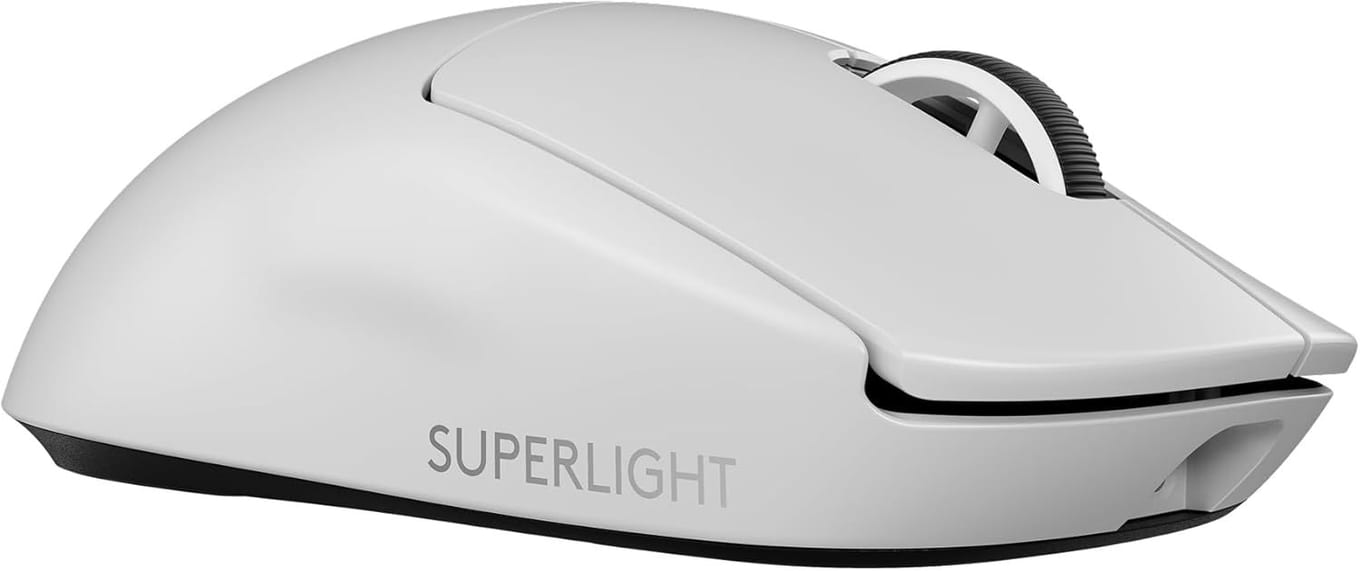
The Logitech G PRO X Superlight 2 is the flagship all-rounder. At roughly 60 grams it is the lightest here, with a safe symmetrical shape that suits fingertip and claw grips and works in either hand, the HERO 2 sensor with no smoothing or acceleration, LIGHTFORCE hybrid switches, and an optional 8,000Hz mode. It is the default competitive choice because it has no obvious weakness — the answer when you want the most refined shape-flexible tool and will pay for it: View on Amazon
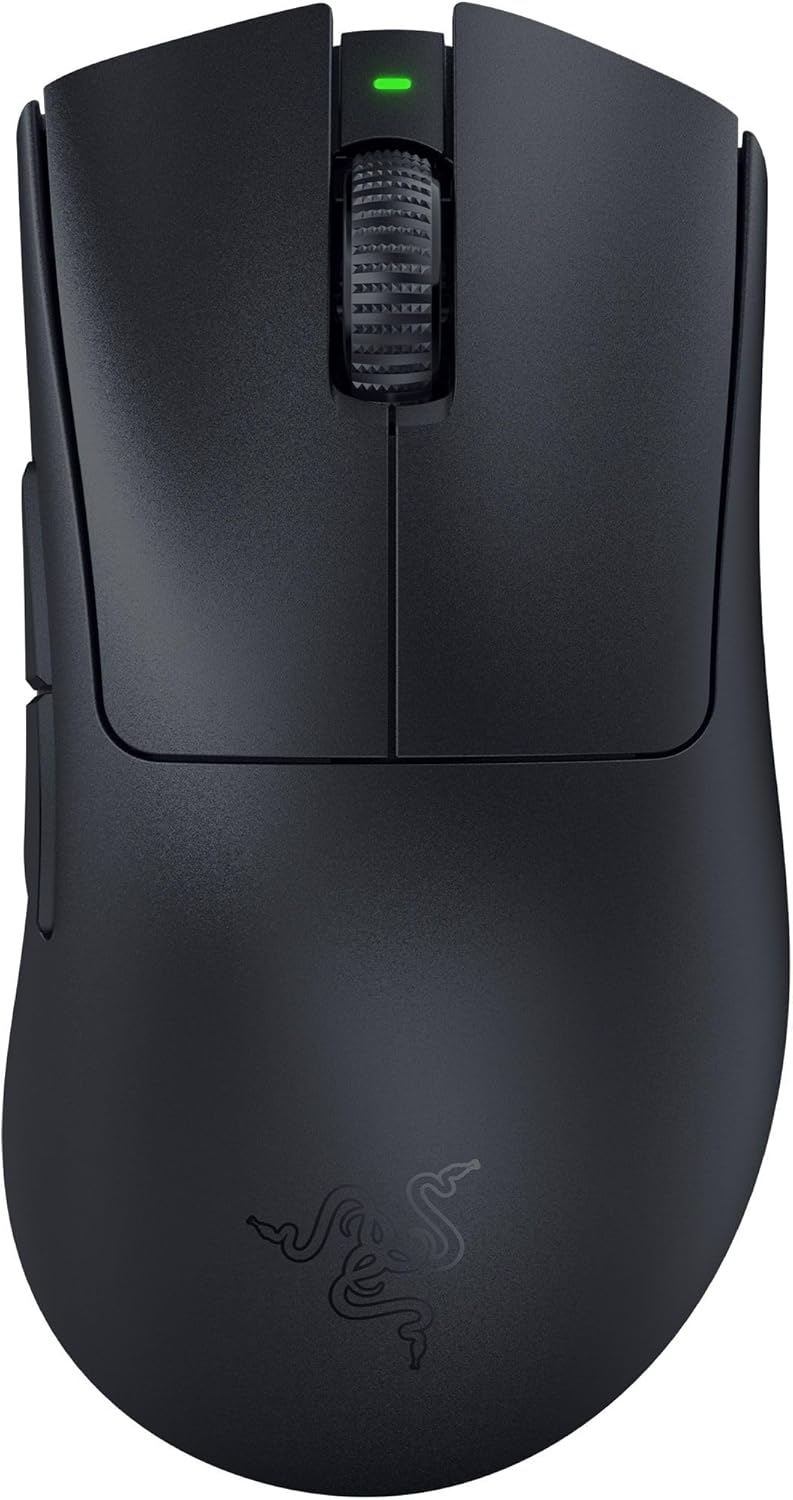
The Razer DeathAdder V3 Pro is the ergonomic-shape answer. It keeps flagship performance — the Focus Pro 30K sensor, 90-million-click optical switches, HyperSpeed wireless, up to 90 hours per charge — but wraps it in a sculpted right-handed shell with a high hump and thumb rest, all at about 63 grams. If a flat symmetrical mouse cramps your hand or you have larger palms and prefer to drive with your arm, this is the one that solves comfort without giving up tracking: View on Amazon
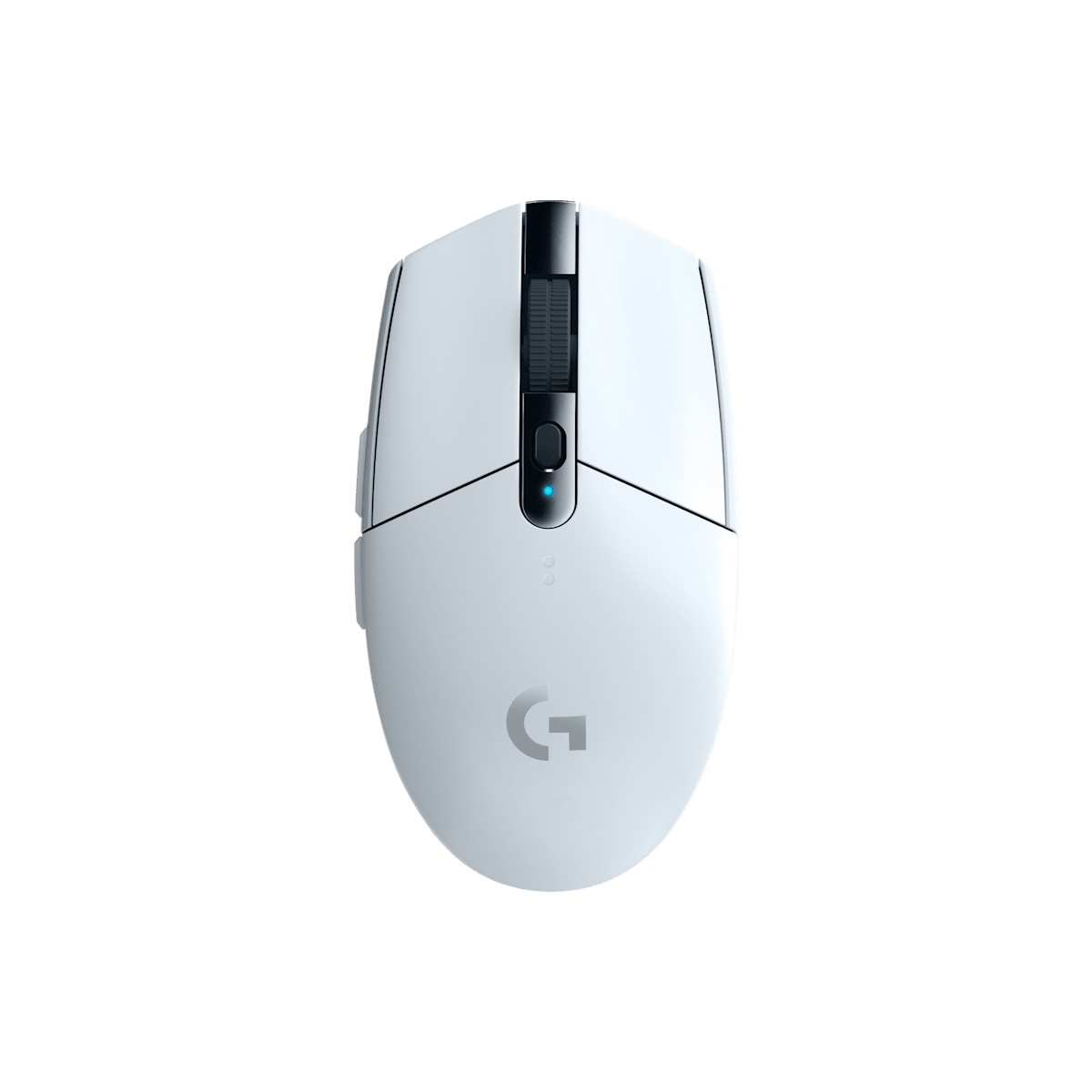
The Logitech G305 LIGHTSPEED is the budget and battery answer. It runs the same LIGHTSPEED 2.4GHz backbone as the pro mice, with a clean HERO sensor that outstrips the 400-to-800 DPI you actually use, in a compact ambidextrous shell. Its single AA delivers around 250 hours of runtime, its heavier roughly 99-gram weight is the honest trade for that endurance, and a lithium AA trims about 9 grams back off. It is the pick for a first wireless setup, a LAN bag or anyone who wants months between power stops: View on Amazon
How to Choose in Five Minutes#
Start with shape, because it overrides every other spec. If your palm rests flat on the mouse and your hand is on the larger side, go straight to the sculpted ergonomic hump of the DeathAdder V3 Pro: View on Amazon. If you perch on your fingers or want a neutral shape usable either-handed, the symmetrical flagships fit better.
Then settle DPI in one line: pick something in the 400-to-800 band and never think about the ceiling again — all three sensors far exceed anything your hand can use.
Then treat connection as solved. Every mouse here uses a low-latency 2.4GHz dongle, not Bluetooth; keep the receiver close, and regard 8,000Hz polling as a bonus for a high-refresh monitor rather than a reason to buy up.
Then decide power, the choice that actually separates these mice. Daily use on one desk points to the rechargeable Superlight 2 — the lightest, most refined all-rounder if you want a mouse with no weak spot: View on Amazon. Wanting months between power stops, or a mouse you can revive with a shop-bought battery at a LAN, points to the AA-powered G305: View on Amazon.
Finally, weigh durability by how hard you will use it: years of daily ranked play reward the optical and hybrid switches of the flagships, while a good low-friction pad protects the skates on any of them.
If gaming is not really your use case, the whole calculus changes — for a quiet, comfortable everyday driver see best wireless mice for office productivity, and if the priority is easing wrist strain rather than winning firefights, start with best ergonomic mice for wrist pain.